


Amazon OpenSearch Service powers observability workflows for organizations, giving their Site Reliability Engineering (SRE) and DevOps teams a single pane of glass to aggregate and analyze telemetry data. During incidents, correlating signals and identifying root causes demand deep expertise in log analytics and hours of manual work. Identifying the root cause remains largely manual. For many teams, this is the bottleneck that delays service recovery and burns engineering resources.
We recently showed how to build an Observability Agent using Amazon OpenSearch Service and Amazon Bedrock to reduce Mean time to Resolution (MTTR). Now, Amazon OpenSearch Service brings many of these functions to the OpenSearch UI—no additional infrastructure required. Three new agentic AI features are offered to streamline and accelerate MTTR:
- An Agentic Chatbot that can access the context and the underlying data that you’re looking at, apply agentic reasoning, and use tools to query data and generate insights on your behalf.
- An Investigation Agent that deep-dives across signal data with hypothesis-driven analysis, explaining its reasoning at every step.
- An Agentic Memory that supports both agents, so their accuracy and speed improve the more you use them.
In this post, we show how these capabilities work together to help engineers go from alert to root cause in minutes. We also walk through a sample scenario where the Investigation Agent automatically correlates data across multiple indices to surface a root cause hypothesis.
How the agentic AI capabilities work together
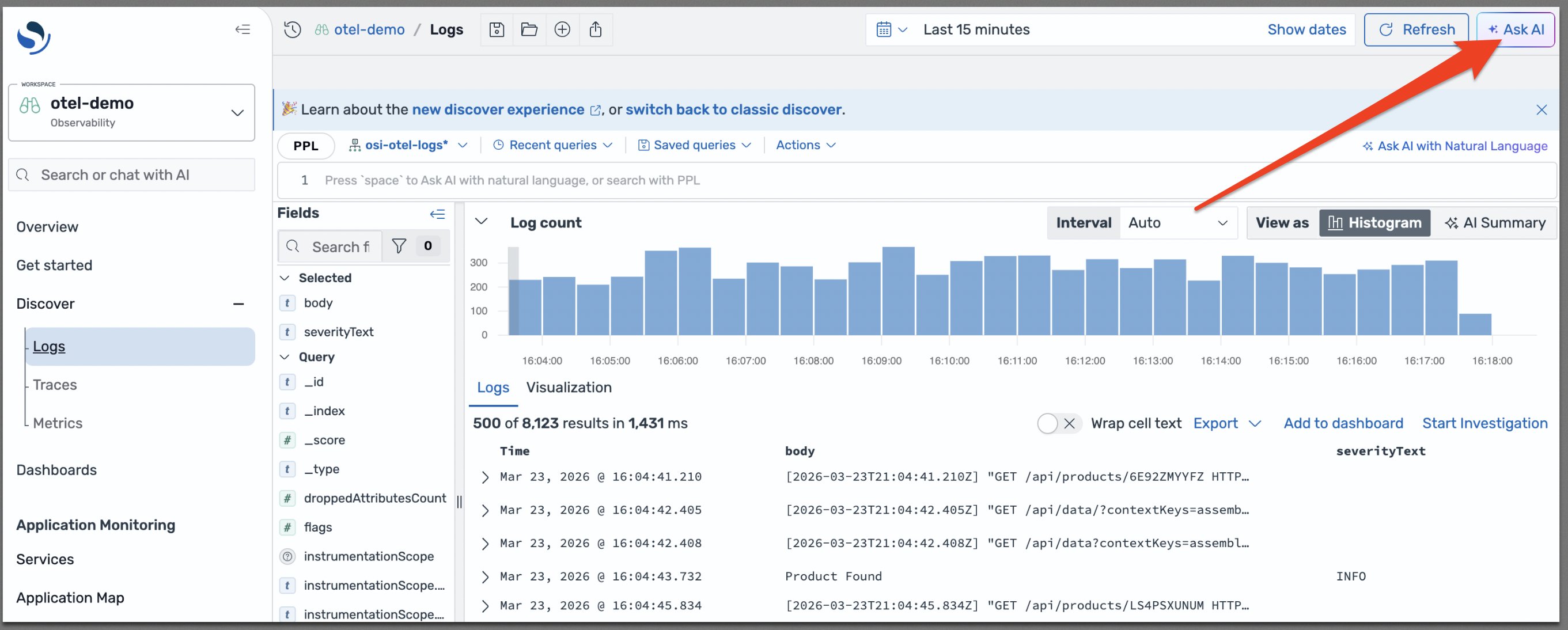
These AI capabilities are accessible from OpenSearch UI through an Ask AI button, as shown in the following diagram, which gives an entry point for the Agentic Chatbot.
Agentic Chatbot
To open the chatbot interface, choose Ask AI.
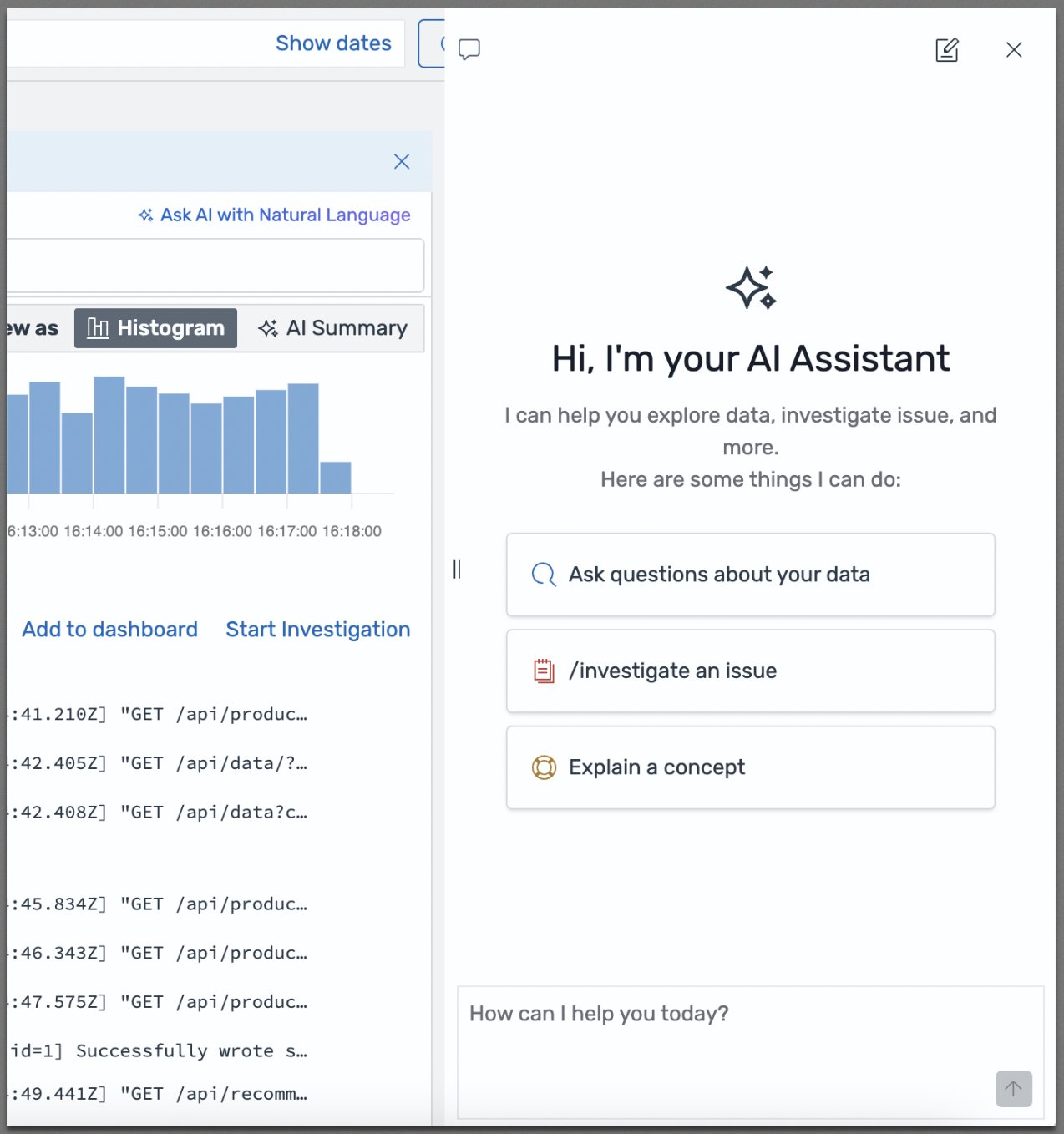
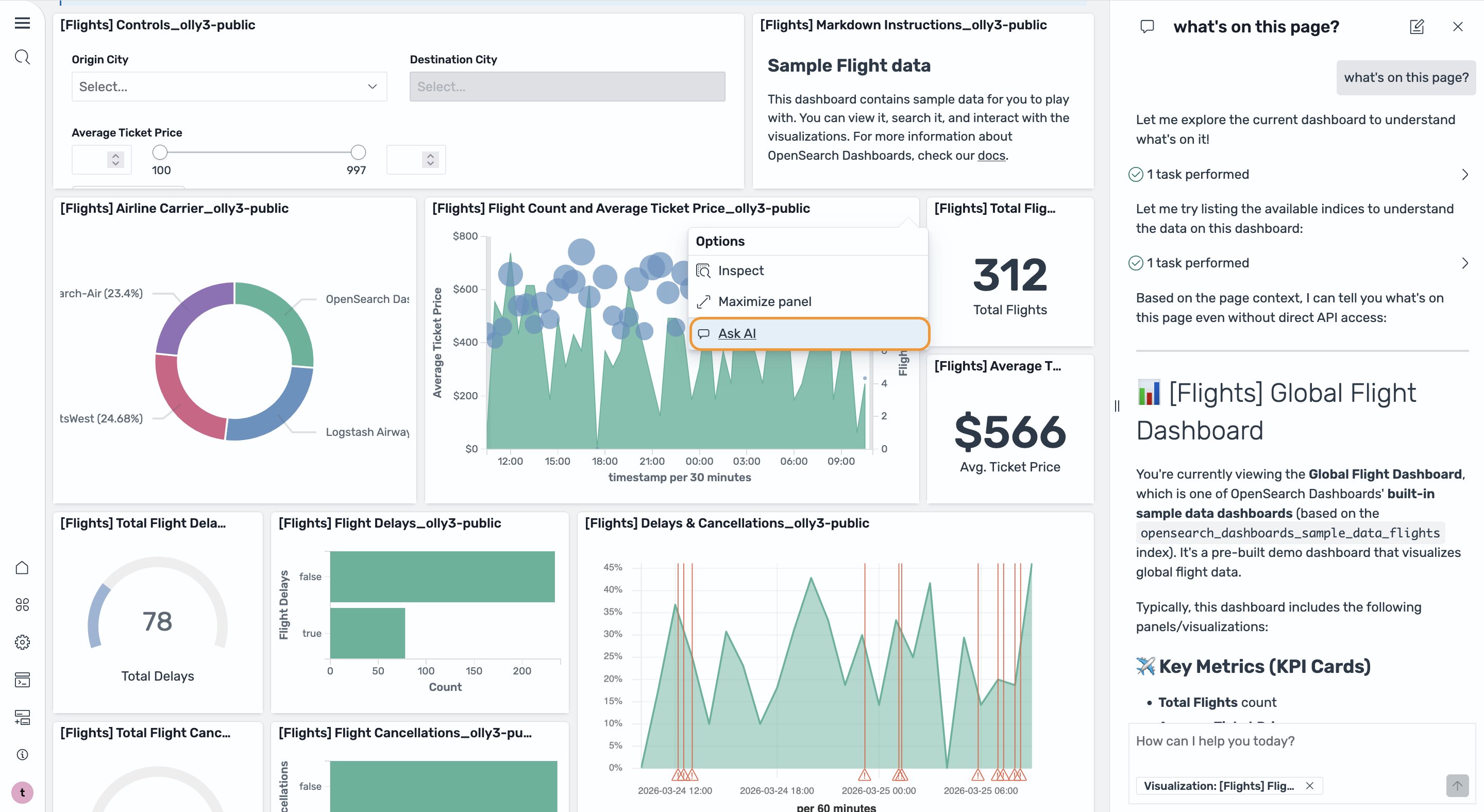
The chatbot understands the context of the current page, so it understands what you’re looking at before you ask a question. You can ask questions about your data, initiate an investigation, or ask the chatbot to explain a concept. After it understands your request, the chatbot plans and uses tools to access data, including generating and running queries in the Discover page, and applies reasoning to produce a data-driven answer. You can also use the chatbot in the Dashboard page, initiating conversations from a particular visualization to get a summary as shown in the following image.
Investigation agent
Many incidents are too complex to resolve with one or two queries. Now you can get the help of the investigation agent to handle these complex situations. The investigation agent uses the plan-execute-reflect agent, which is designed for solving complex tasks that require iterative reasoning and step-by-step execution. It uses a Large Language Model (LLM) as a planner and another LLM as an executor. When an engineer identifies a suspicious observation, like an error rate spike or a latency anomaly, they can ask the investigation agent to investigate. One of the important steps the investigation agent performs is re-evaluation. The agent, after executing each step, reevaluates the plan using the planner and the intermediate results. The planner can adjust the plan if necessary or skip a step or dynamically add steps based on this new information. Using the planner, the agent generates a root cause analysis report led by the most likely hypothesis and recommendations, with full agent traces showing every reasoning step, all findings, and how they support the final hypotheses. You can provide feedback, add your own findings, iterate on the investigation goal, and review and validate each step of the agent’s reasoning. This approach mirrors how experienced incident responders work, but completes automatically in minutes. You can also use the “/investigate” slash command to initiate an investigation directly from the chatbot, building on an ongoing conversation or starting with a different investigation goal.
Agent in action
Automatic query generation
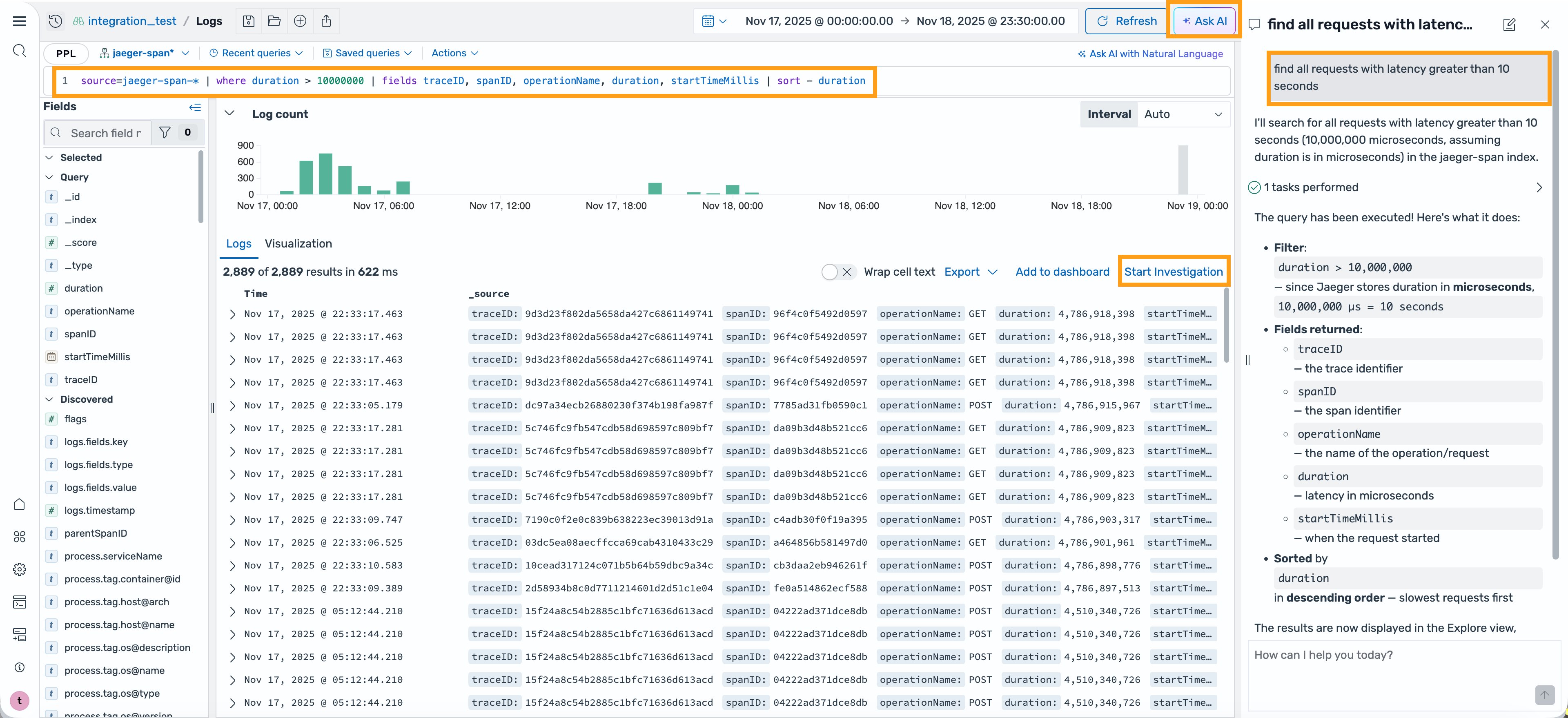
Consider a situation where you’re an SRE or DevOps engineer and received an alert that a key service is experiencing elevated latency. You log in to the OpenSearch UI, navigate to the Discover page, and select the Ask AI button. Without any expertise in the Piped Processing Language (PPL) query language, you enter the question “find all requests with latency greater than 10 seconds”. The chatbot understands the context and the data that you’re looking at, thinks through the request, generates the right PPL command, and updates it in the query bar to get you the results. And if the query runs into any errors, the chatbot can learn about the error, self-correct, and iterate on the query to get the results for you.
Investigation and investigation management
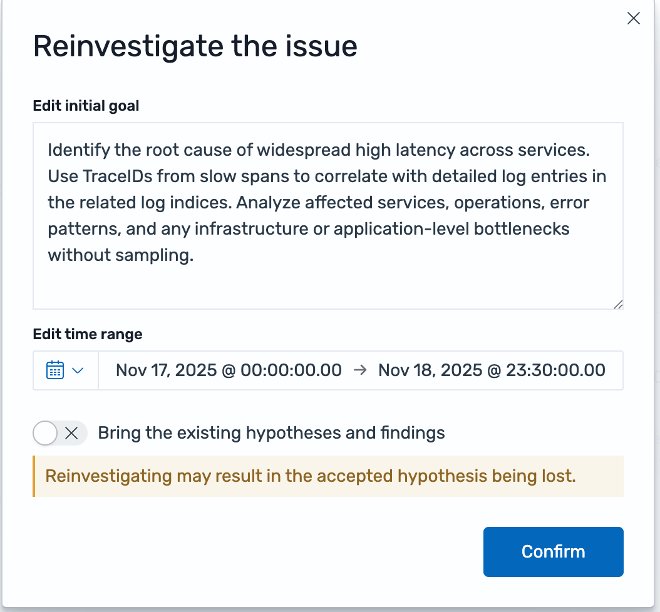
For complex incidents that normally require manually analyzing and correlating multiple logs for the possible root cause, you can choose Start Investigation to initiate the investigation agent. You can provide a goal for the investigation, along with any context or hypothesis that you want to instruct the investigation. For example, “identify the root cause of widespread high latency across services. Use TraceIDs from slow spans to correlate with detailed log entries in the related log indices. Analyze affected services, operations, error patterns, and any infrastructure or application-level bottlenecks without sampling”.
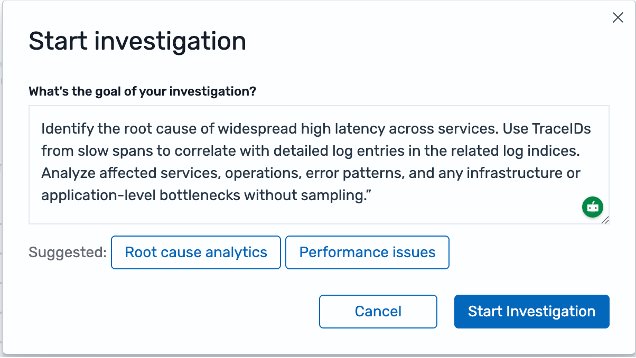
The agent, as part of the conversation, will offer to investigate any issue that you’re trying to debug.
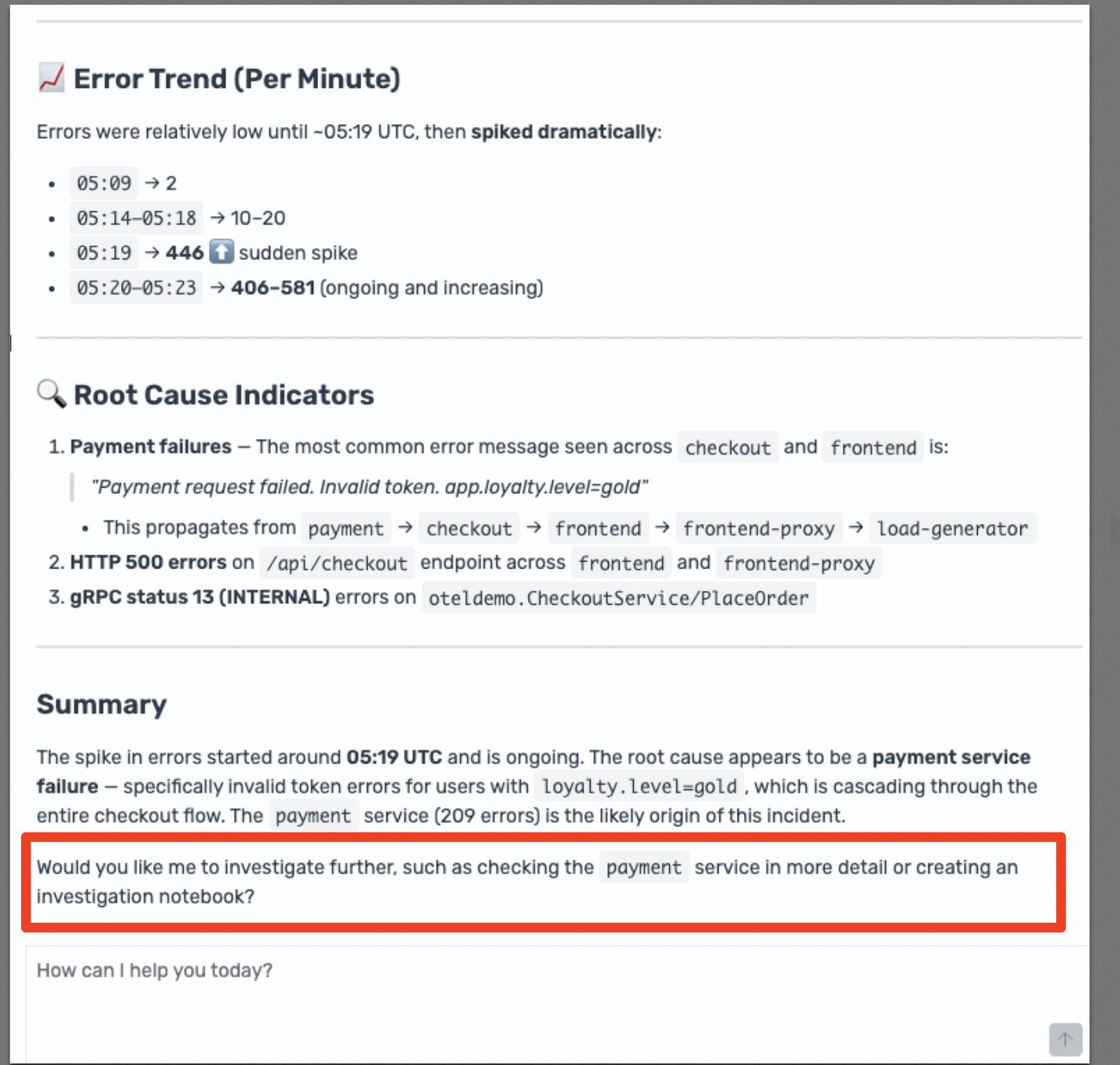
The agent sets goals for itself along with any other relevant information like indices, associated time range, and other, and asks for your confirmation before creating a Notebook for this investigation. A Notebook is a way within the OpenSearch UI to develop a rich report that’s live and collaborative. This helps with the management of the investigation and allows for reinvestigation at a later date if necessary.
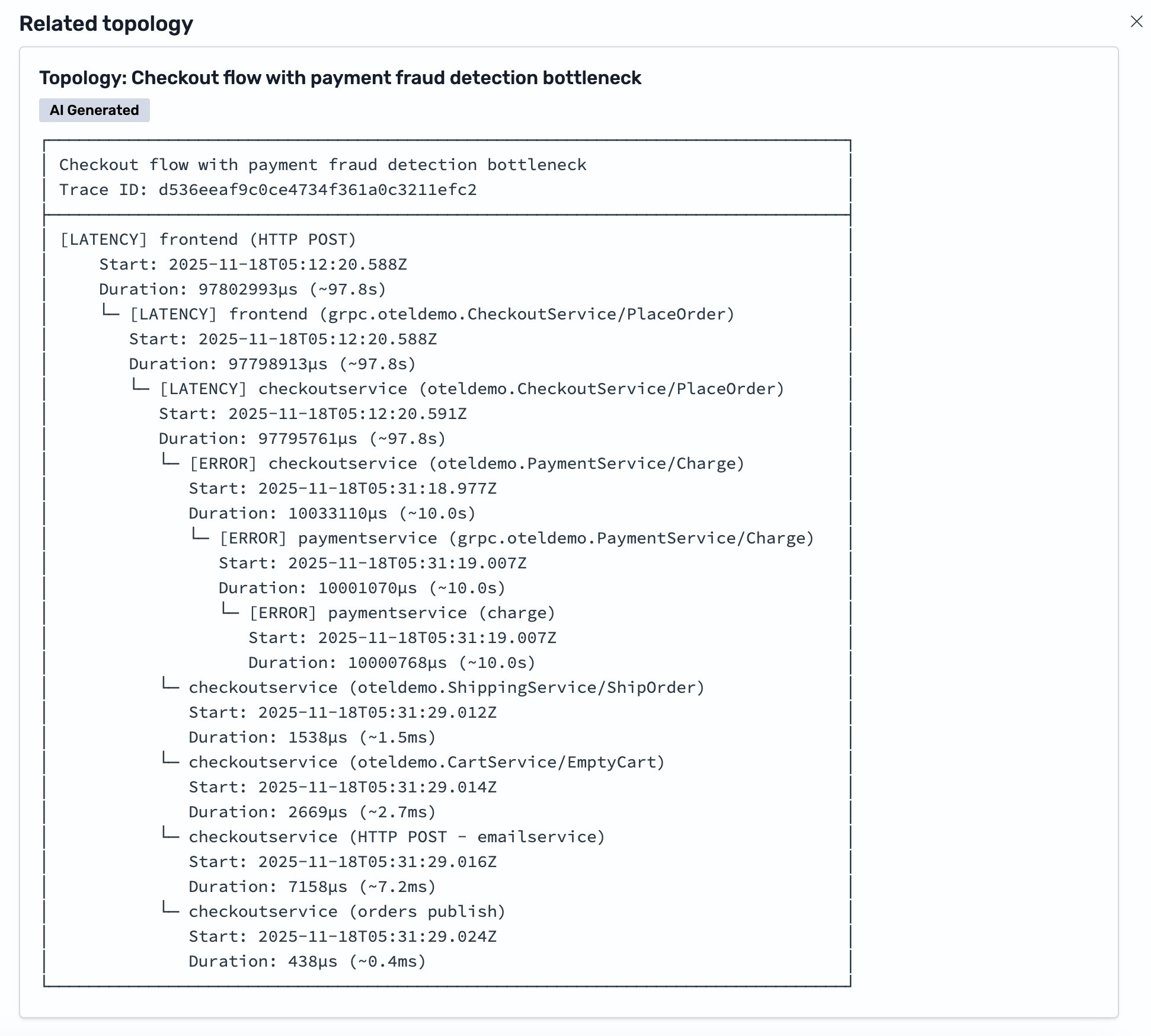
After the investigation starts, the agent will perform a quick analysis by log sequence and data distribution to surface outliers. Then, it will plan for the investigation into a series of actions, and then performs each action, such as query for a specific log type and time range. It will reflect on the results at every step, and iterate on the plan until it reaches the most likely hypotheses. Intermediate results will appear on the same page as the agent works so that you can follow the reasoning in real time. For example, you find that the Investigation Agent accurately mapped out the service topology and used it as a key intermediary steps for the investigation.
As the investigation completes, the investigation agent concludes that the most likely hypothesis is a fraud detection timeout. The associated finding shows a log entry from the payment service: “currency amount is too big, waiting for fraud detection”. This matches a known system design where large transactions trigger a fraud detection call that blocks the request until the transaction is scored and assessed. The agent arrived at this finding by correlating data across two separate indices, a metrics index where the original duration data lived, and a correlated log index where the payment service entries were stored. The agent linked these indices using trace IDs, connecting the latency measurement to the specific log entry that explained it.
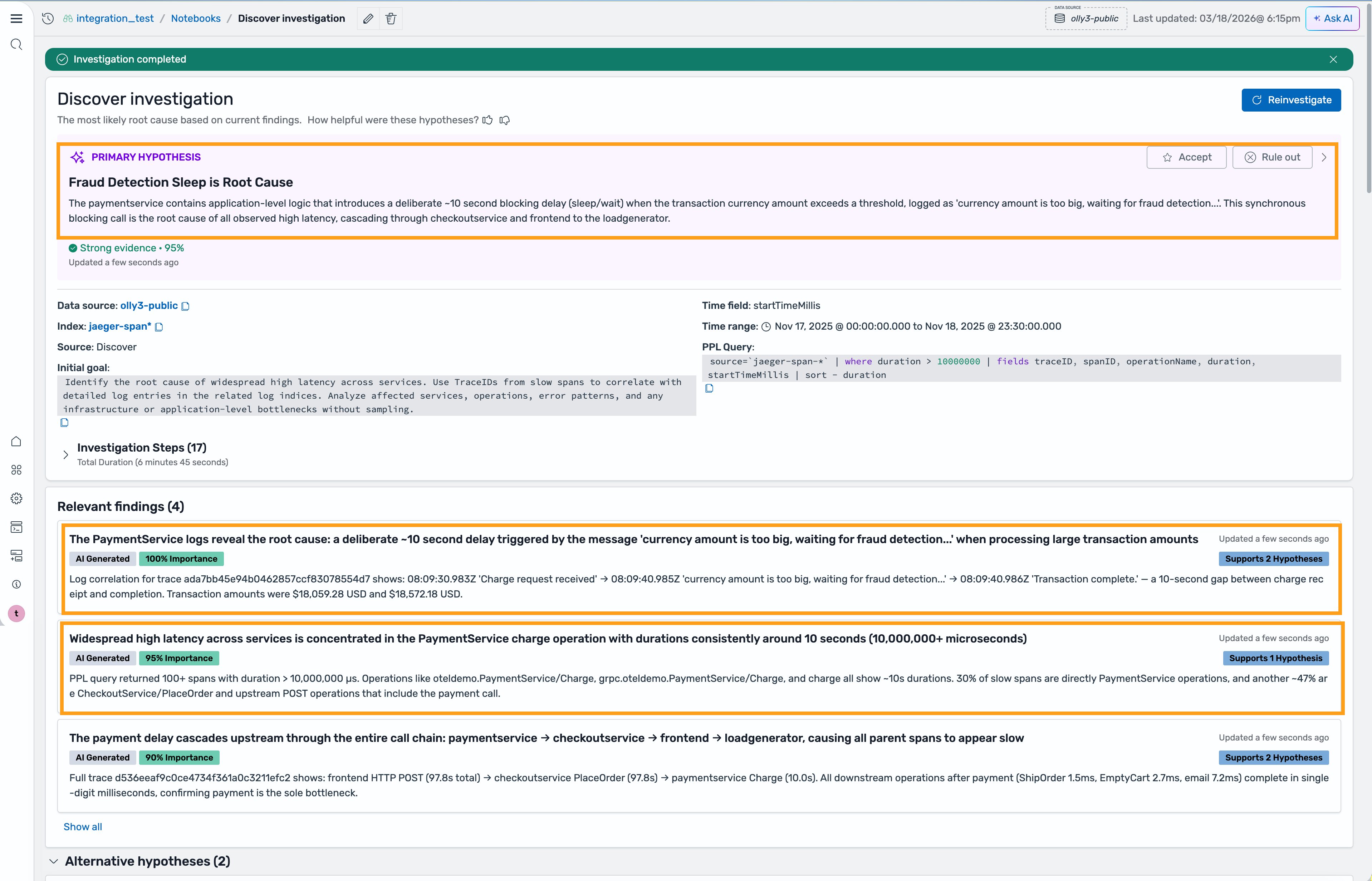
After reviewing the hypothesis and the supporting evidence, you find the result reasonable and aligns with your domain knowledge and past experiences with similar issues. You can now accept the hypothesis and review the request flow topology for the affected traces that were provided as part of the hypothesis investigation.
Alternatively, if you find that the initial hypothesis wasn’t helpful, you can review the alternative hypothesis at the bottom of the report and select any of the alternative hypotheses if there’s one that’s more accurate. You can also trigger a re-investigation with additional inputs, or corrections from previous input so that the Investigation Agent can rework it.
Getting started
You can use any of the new agentic AI features (limits apply) in the OpenSearch UI at no cost. You will find the new agentic AI features ready to use in your OpenSearch UI applications, unless you have previously disabled AI features in any OpenSearch Service domains in your account. To enable or disable the AI features, you can navigate to the details page of the OpenSearch UI application in AWS Management Console and update the AI settings from there. Alternatively, you can also use the registerCapability API to enable the AI features or use the deregisterCapability API to disable them. Learn more at Agentic AI in Amazon OpenSearch Services.
The agentic AI feature uses the identity and permissions of the logged in users for authorizing access to the connected data sources. Make sure that your users have the necessary permissions to access the data sources. For more information, see Getting Started with OpenSearch UI.
The investigation results are saved in the metadata system of OpenSearch UI and encrypted with a service managed key. Optionally, you can configure a customer managed key to encrypt all of the metadata with your own key. For more information, see Encryption and Customer Managed Key with OpenSearch UI.
The AI features are powered by Claude Sonnet 4.6 model in Amazon Bedrock. Learn more at Amazon Bedrock Data Protection.
Conclusion
The new agentic AI capabilities announced for Amazon OpenSearch Service help reduce Mean Time to Resolution by providing context-aware agentic chatbot for assistance, hypothesis-driven investigations with full explainability, and agentic memory for context consistency. With the new agentic AI capabilities, your engineering team can spend less time writing queries and correlating signals, and more time acting on confirmed root causes. We invite you to explore these capabilities and experiment with your applications today.
About the authors
