Welcome to Indie App Spotlight. This is a weekly 9to5Mac series where we showcase the latest apps in the indie app world. If you’re a developer and would like your app featured, get in contact.
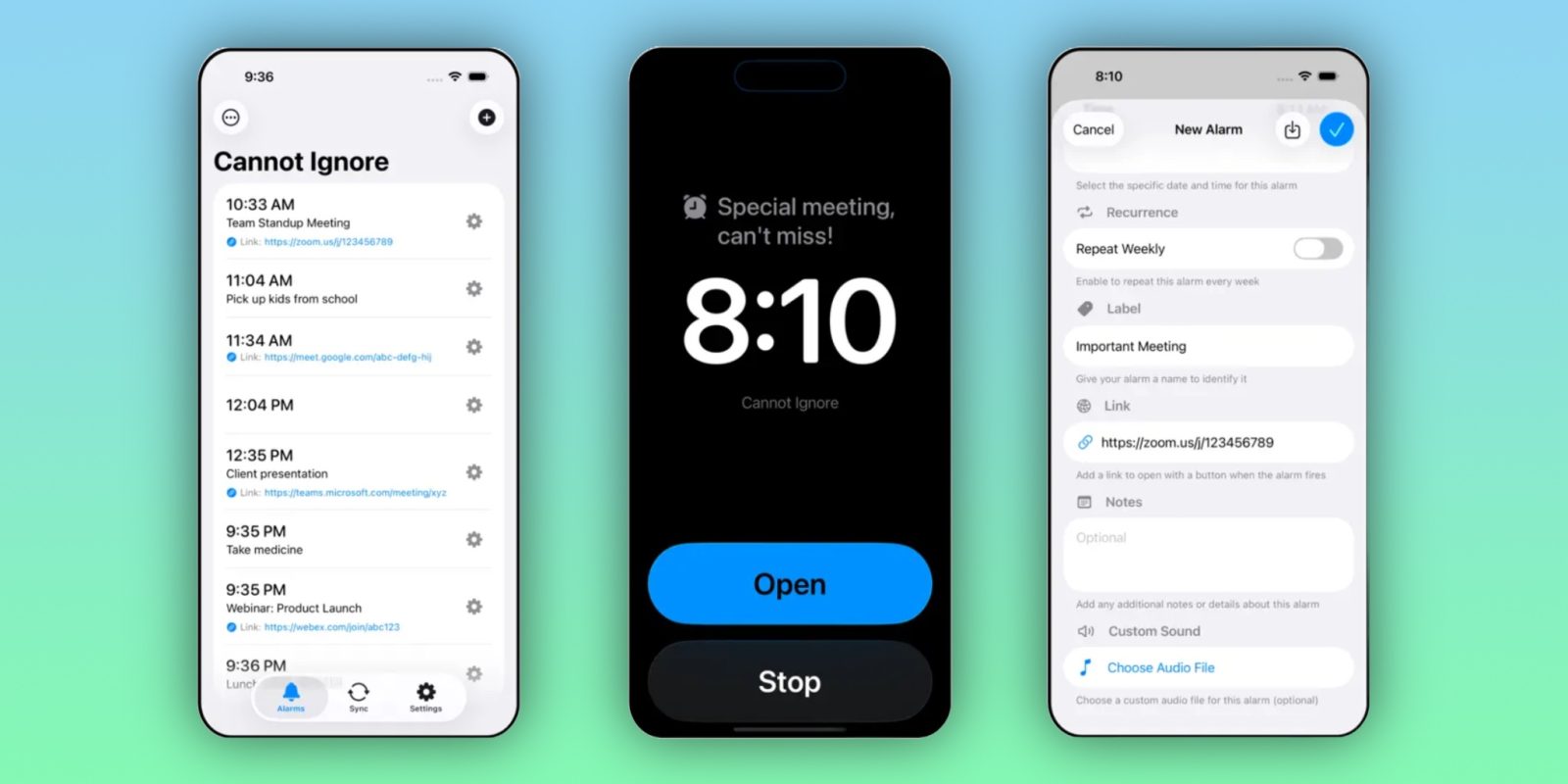
In iOS 26.2, Apple introduced the ability for you to attach full screen alarms to your reminders. Cannot Ignore is a new app that takes that a step further, allowing you to sync calendar events and have full screen alarms for them, ensuring you can’t forget anything important.
Top features
With Cannot Ignore, you can sync any of your calendars or reminders lists, enabling defacto full screen alarms for any of your reminders or events. You can also sync individual calendar events or reminders, just in case you don’t want every event from a particular event creating an alarm. Though, if you often find yourself missing calendar events, syncing an entire calendar might be incredibly useful to you.
Cannot Ignore provides granularity for which calendars you sync, so if you’d prefer to only get alarms for your work events versus personal ones, you can do that. It also factors in travel time, that way you’ll receive your alarm when you need to leave for an in-person event, versus getting reminded 10 minutes before it starts.
Lastly, the app lets you add custom alarm sounds for various events, which you can use to your advantage. If you’d like to have one alarm tune for work events and another for personal ones, thats an option.
I think the most useful feature of Cannot Ignore is that it syncs links from the calendar event. So, for instance, if you have a zoom meeting in your calendar – you can open up the meeting from the full screen alarm, negating the need to open up the app once more.
Download the app
Cannot Ignore is available for just $0.99 on the App Store, with no ads or additional in app purchases required. It’s available for devices running iOS 26 and later.
My favorite Apple accessory recommendations:
Follow Michael: X/Twitter, Bluesky, Instagram


FTC: We use income earning auto affiliate links. More.