


‘Skill’ is the latest buzzword in agentic AI workflows, and you will know this for sure if you use any of the AI coding platforms today. We explored Skills in Claude Code in detail in a previous article. Though not all developers prefer the same AI tool for coding help. Another major player in this field is Replit, and the best part is – even Replit offers Skills as a feature. Only, on Replit, these are packaged as Agent Skills.
So what are these Agent Skills? How do they work? And should you really be using them? We shall try to explore all of these questions within this article.
What are Replit Agent Skills?
Replit Agent Skills are basically Markdown files that teach Replit Agent new capabilities. That is the simplest way to understand them. Think of a skill as a compact instruction set that tells it exactly how to handle that task. It can teach an Agent how to use a specific library correctly, follow your design system, or remember a bug fix. Replit says skills help the agent produce better and more consistent results, especially in areas it may not handle well by default.
And this is exactly what makes them super useful. They preserve context that would normally disappear after a chat ends. Which means you do not have to repeat your instructions every time you perform a specific task.
Let us say you and Agent just solved a tricky UI issue or worked out the right way to use a framework. Without a skill, that learning stays trapped in one conversation. With a skill, you can save it and reuse it later. That turns one good session into a repeatable workflow.
Acting as such reusable playbooks, Replit Agent Skills can teach an agent:
- How to work with a specific framework
- How to follow a project convention
- How to repeat a tested workflow
- How to avoid mistakes you already solved earlier
So instead of repeating the same instructions in every session, you can store them once as a skill and let the Agent use them when relevant.
Replit Agent Skills Structure and Usage
Under the hood, skills are stored inside your project’s /.agents/skills folder. Replit explains that only a skill’s name and description load into the Agent’s context at first. Only when you actually invoke the skill does Replit pull the full file. It is easy to see how this makes the system lighter and far more context-efficient than dumping every rule and workflow into every single prompt.
Replit also places skills within a broader agentic setup that includes agents, skills, MCP servers, and permissions. Out of these, Agent Skills are the part that teaches the agent how to do something. They do not mainly exist to give the agent access to tools. Instead, they give it a reusable know-how.
You can think of Replit Agent Skills in a simple way:
- Agents are the workers
- Skills are the learned methods
- MCP servers are external tool connectors
- Permissions decide what the agent is allowed to do
It is important to understand this distinction thoroughly.
Skills vs. MCP Servers
It is easy to confuse Replit Skills with MCP servers because both help Agent do more. Yet, they solve very different problems.
A skill teaches an Agent how to do something better. It stores reusable instructions inside the project. In other words, a skill improves the agent’s efficiency for a task it that it is about to do.
An MCP server, on the other hand, gives Agent access to an external tool or system. It is less about teaching and more about connectivity. If a skill is like giving the agent a playbook, an MCP server is like giving it a new machine to operate. Learn all about MCP here.
That difference becomes easier to understand in practice:
- Use a skill when you want Agent to follow a better method
- Use an MCP server when you want Agent to access an outside capability or service
Now that you know how skills differ from MCP, let’s explore more about these skills and how they are structured.
Where Skills Live
Replit stores skills in a dedicated location inside the project:
/.agents/skills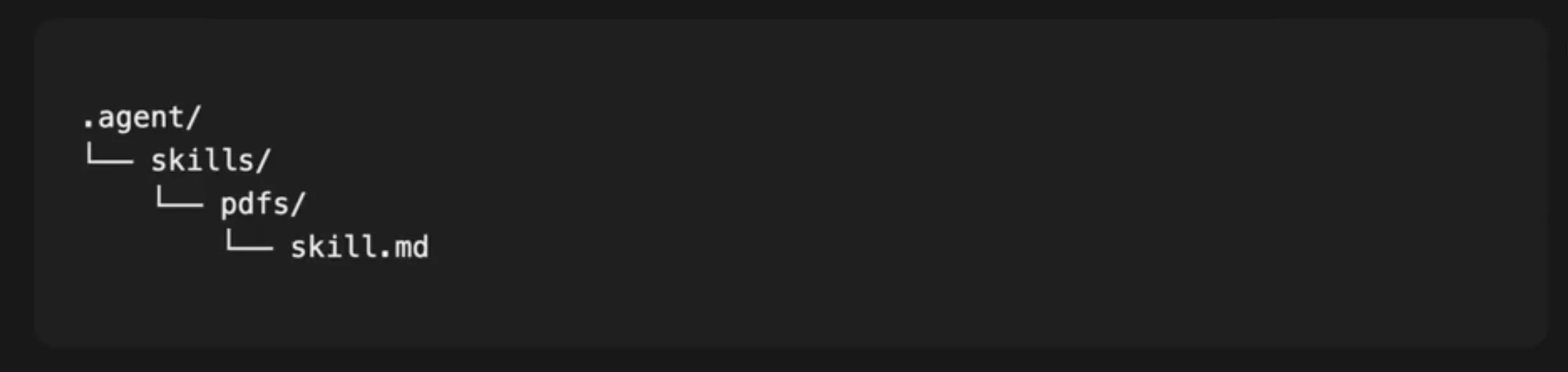
This makes them a part of the project itself instead of just a random set of instructions within a chat. This way, they are easier to manage, reuse, and improve over time.
How Replit Loads a Skill
Replit does not load the full content of a skill every time. It follows a way lighter process that goes something like this:
- First, Agent sees only the skill name
- Then it reads the description
- The full skill content is loaded only when needed
This approach helps in two ways:
- It saves context space
- It keeps the agent focused on only the instructions relevant to the current task
Why This Structure Is Useful
There are some core reasons why such a setup makes Replit Skills practical for real projects:
- They are project-level assets, not one-off prompts
- They are modular, so the agent uses them only when needed
- They are instruction-focused, unlike MCP servers, which are tool-focused
- They help create consistency across repeated coding tasks
Now that we know how the Replit Agent Skills are structured and why, let us explore the two types of Agent Skills that Replit offers.
Proactive vs. Reactive Agent Skills in Replit
Replit marks just two different types of skills in its agentic AI development, and the difference lies in when these are created or added. To understand this, simply think of a development workflow. You can add skills either before starting one or after you are done making one.
On this basis, here are the two types of skills in Replit:
Proactive skills
Proactive skills are the ones you add before you start building. You already know the libraries, patterns, or design direction you want to use, so you equip Agent with that knowledge in advance. To understand this more clearly, let’s take a practical example by Replit itself: if you are to build a portfolio site with handwritten SVG animations, you may want to research animation libraries, choose GSAP, install a GSAP React skill, and only then begin prompting. That gives Agent the right API knowledge and common patterns from the start, instead of forcing it to guess all the way.
This approach works best when:
- You already know the technical direction of the project
- The library you want to use has nuanced patterns
- You want consistency in things like typography, spacing, or animation style
Reactive skills
As the name suggests, Reactive skills come after a problem has already shown up. Consider this: you run into a bug, debug it with Agent, figure out the fix, and then capture that solution as a skill so the same issue does not waste time again. Makes complete sense, right? After all, why would you want to dump your hard-earned lesson in one conversation, and then re-learn them all over again in another project? Simply convert it into a reusable skill, and you are good to go for such bug-fixes for as long as you work.
This pattern works well when:
- You have fixed a non-obvious bug
- You learned something important about the app’s architecture
- The solution took real effort to discover and should be saved for later
In simple terms, proactive skills help Agent start smarter, while reactive skills help Agent remember what they learned later. Both are useful. The real skill lies in knowing when to use which one.
How to Apply Agent Skills in a Project
Now that we know what Agent Skills are in Replit, how they work, and what their types are, let us understand how to use them in a real project. Thankfully, doing that is not complicated.
There are three main ways to apply agent skills in a project:
1. Install from the Skills pane
This is the easiest route and uses pre-existing skills. Open the Skills pane inside your Replit workspace, browse the available community-contributed skills, and install the one you need. Once selected, the skill gets added automatically to your project’s /.agents/skills directory. Replit even gives examples like GSAP React, Tailwind design system, and Find skills to show how skills can help an Agent work better with specific tools and workflows.
You can also install skills through the CLI:
npx skills -a replit 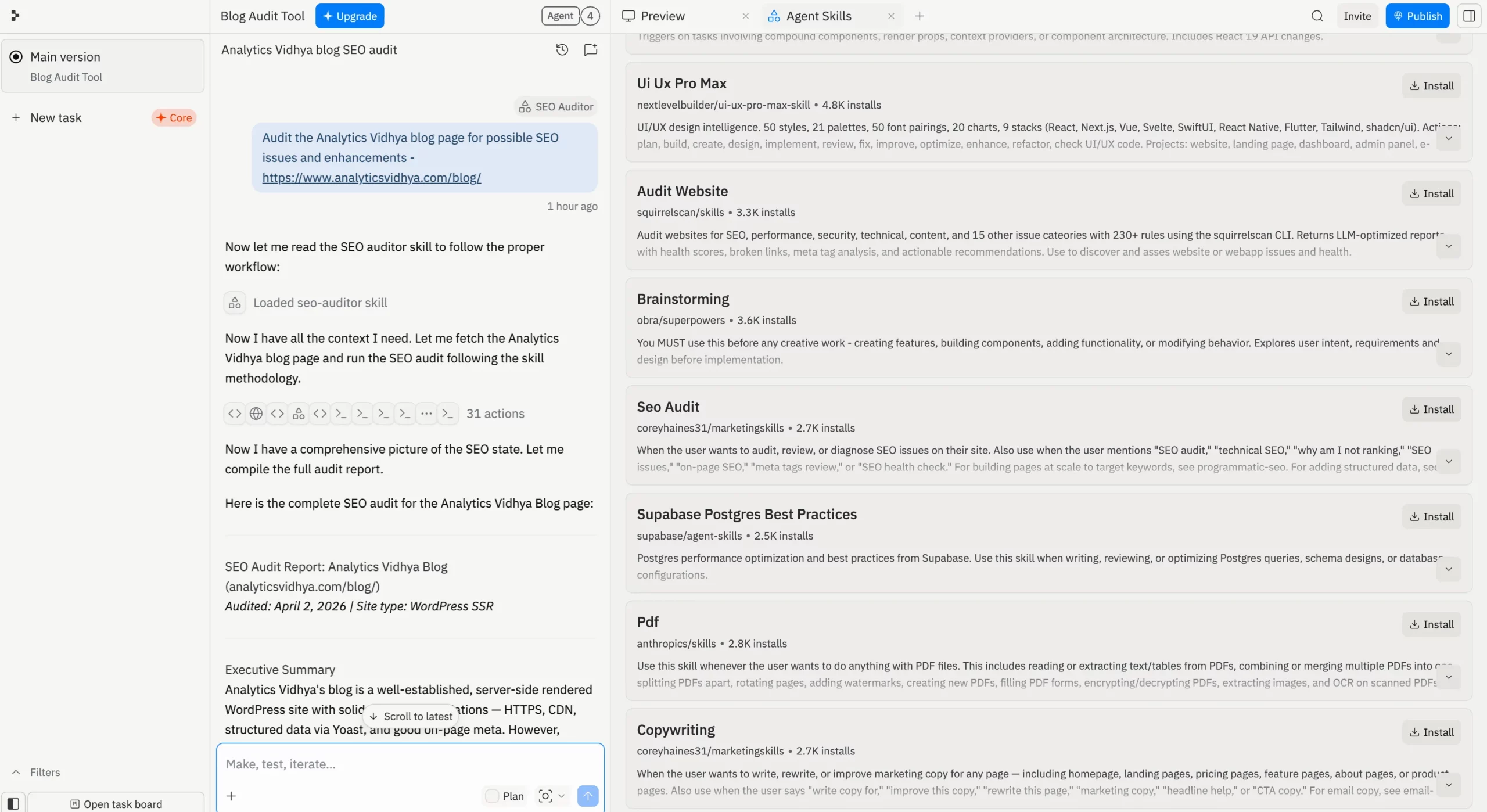
Replit includes this as an alternative for people who prefer working from the terminal.
2. Create skills through conversation
This is the most natural method to create a skill. Let us say you solve a bug with Agent or spend time figuring out how to use a new library properly. Once that work is done, you can simply ask the Agent to turn that learning into a skill. Replit says Agent uses the full conversation context to write a detailed skill file, which makes this especially useful after long debugging sessions or deep project-specific discussions. Simply because it records all your preferences and workflows that have already worked for you in a project. Of course, if you wish to, you may tweak it to your liking.
In simple terms, this method helps you convert one useful conversation into a reusable project asset.
3. Write custom skills manually
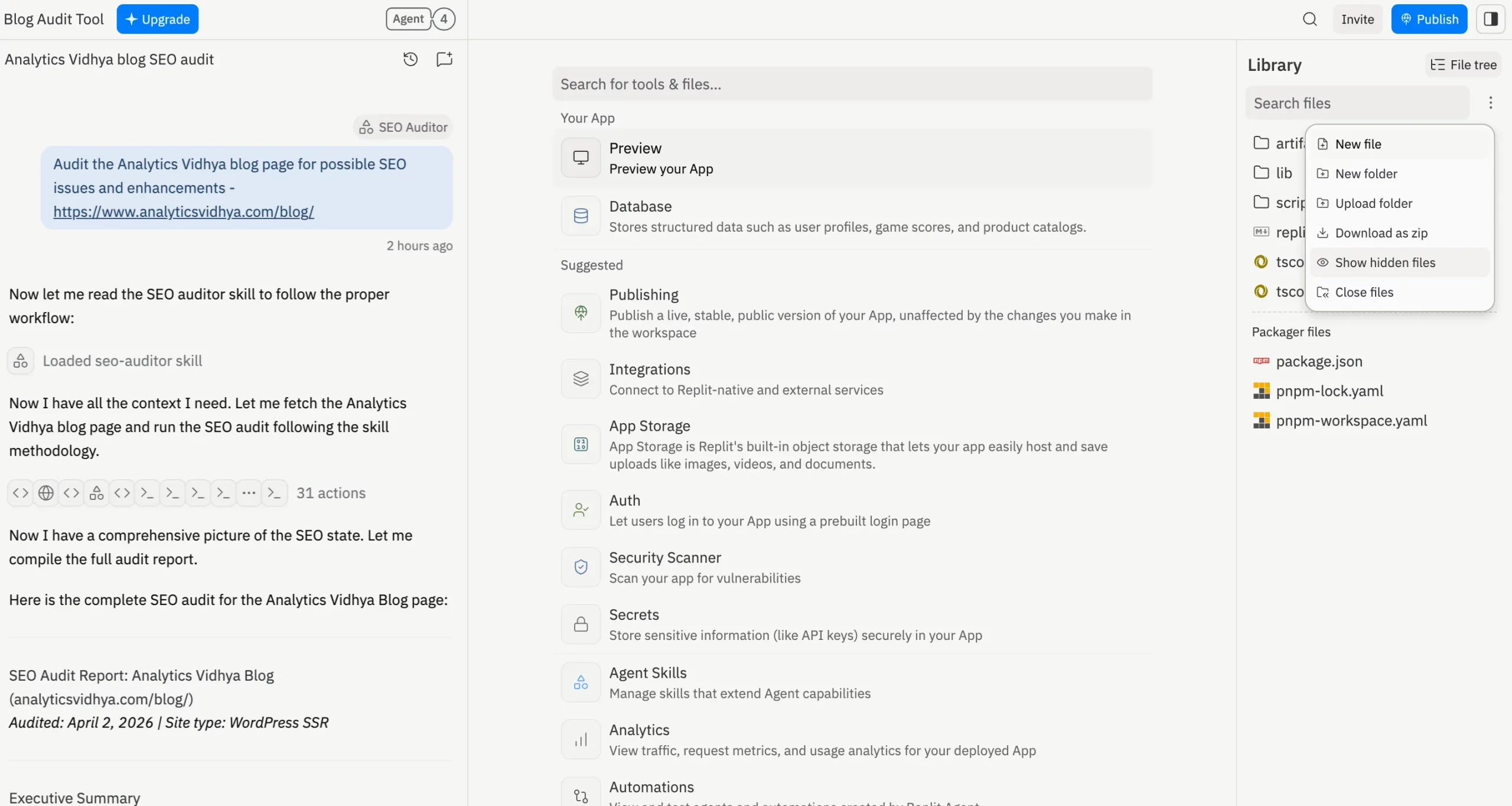
For more advanced use cases, Replit also lets you write skills directly. For this, you need to turn on Show Hidden Files, open the /.agents/skills/ folder, and create a new Markdown file there. This method gives you full control over what the Agent knows and how it should behave. Replit recommends following the Agent Skills specification when writing these custom skills. You can find these specifications here.
Which method should you use?
So, now that you have 3 options, which one should you choose to make your own skill?
The answer largely depends on your situation:
- Use the Skills pane when you want a fast, ready-made solution
- Use conversation-based skill creation when you have just figured something worth recording for future use
- Use manual writing when you want full control over the skill’s structure and instructions
That flexibility is part of what makes Replit Agent Skills useful. You need not be fixated on any particular method. You can install, generate, or write them depending on the project and the problem in front of you.
Best Practices and Security Considerations for Replit Agent Skills
Now that we know all about the Agent Skills on Replit, here are some things to keep in mind during their use.
Best practices
Follow these practices to ensure you get the maximum out of your Replit Agent Skills.
- Keep each skill focused on one clear purpose
- Create a skill only when the knowledge is worth reusing
- Use ready-made skills when you want speed
- Create skills from the conversation context after solving a tricky problem
- Write skills manually only when you want full control
- Treat skills like project assets, not temporary prompt notes
- Review and update skills when they become outdated or too broad
- Follow Replit’s Agent Skills specification when writing custom skills
Security considerations
Here are some things to take care of when using skills, so that your project isn’t sabotaged in any way.
- Do not confuse skills with permissions
- Do not confuse skills with MCP servers
- Remember that a bad or outdated skill can misguide the Agent
- Avoid stuffing too many unrelated instructions into one skill
- Keep reusable know-how inside skills, but keep tool access and controls separate
- Be careful while manually writing skills, since poor structure can reduce reliability
Hands-on with Replit Agent Skills
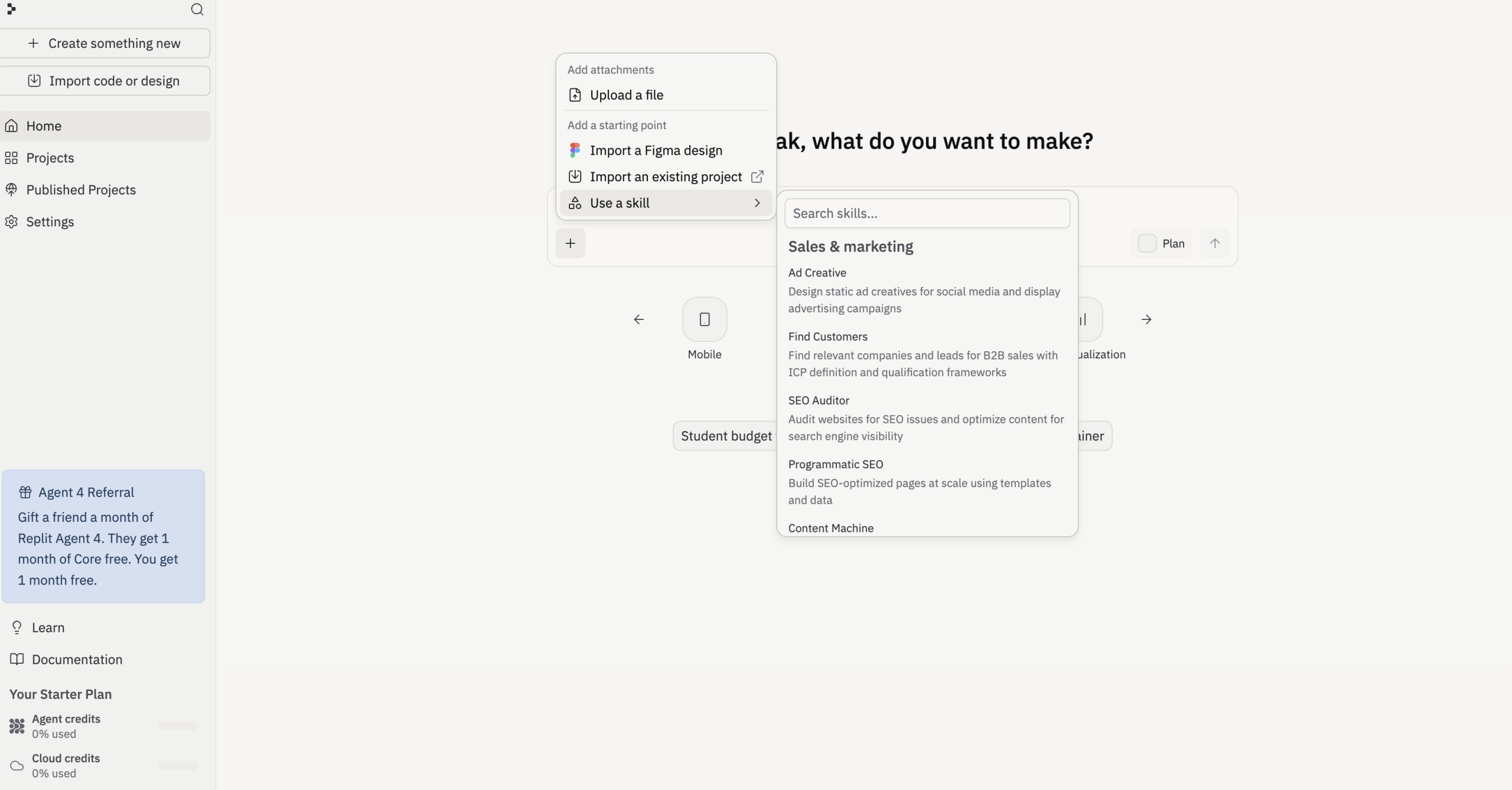
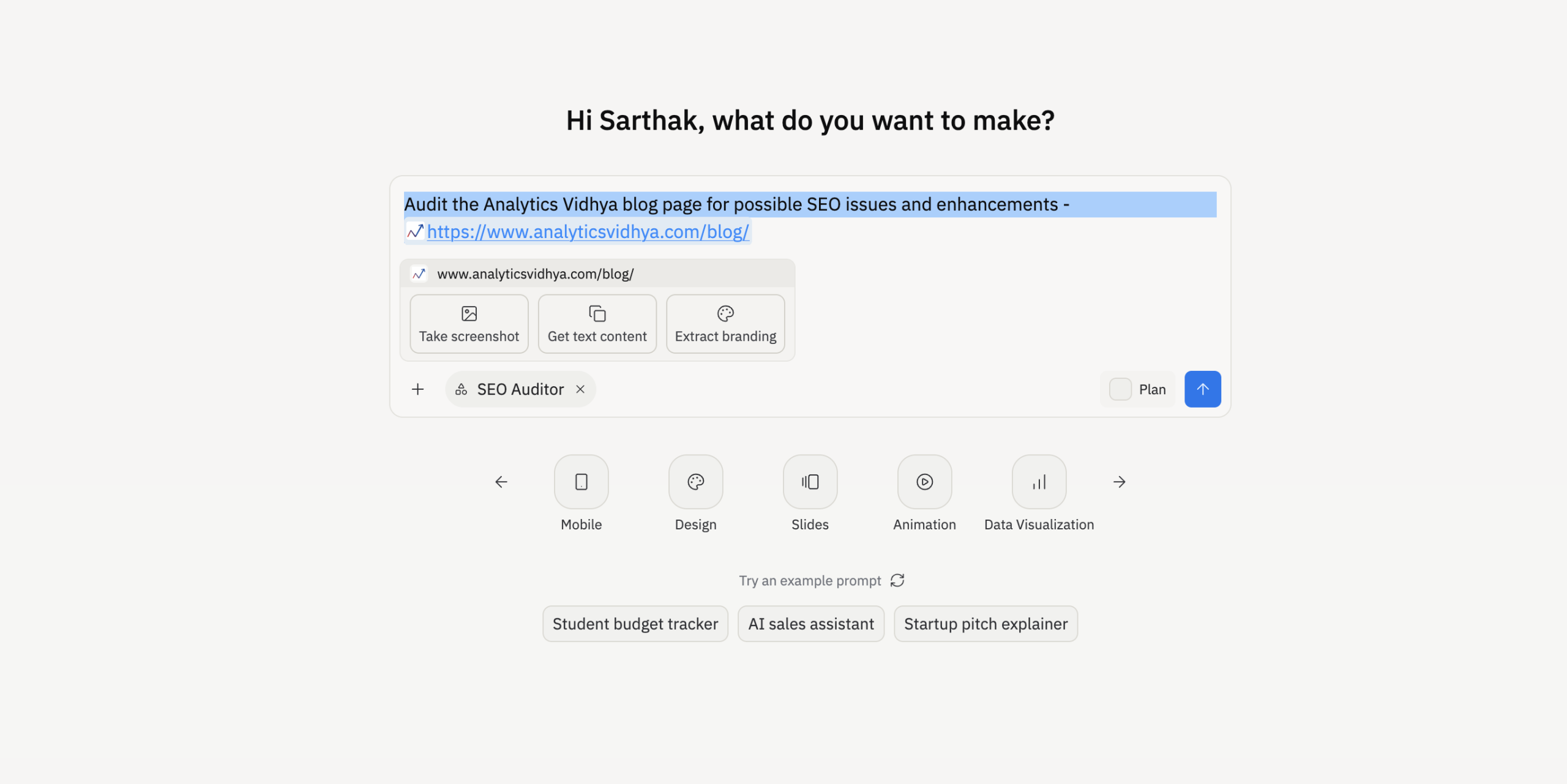
To try out the new Agent Skills in Replit, I tasked it to build a Blog Audit Tool by using a pre-existing skill in the Skill pane. Here is how it worked:
Prompt:
Audit the Analytics Vidhya blog page for possible SEO issues and enhancements –
Output:
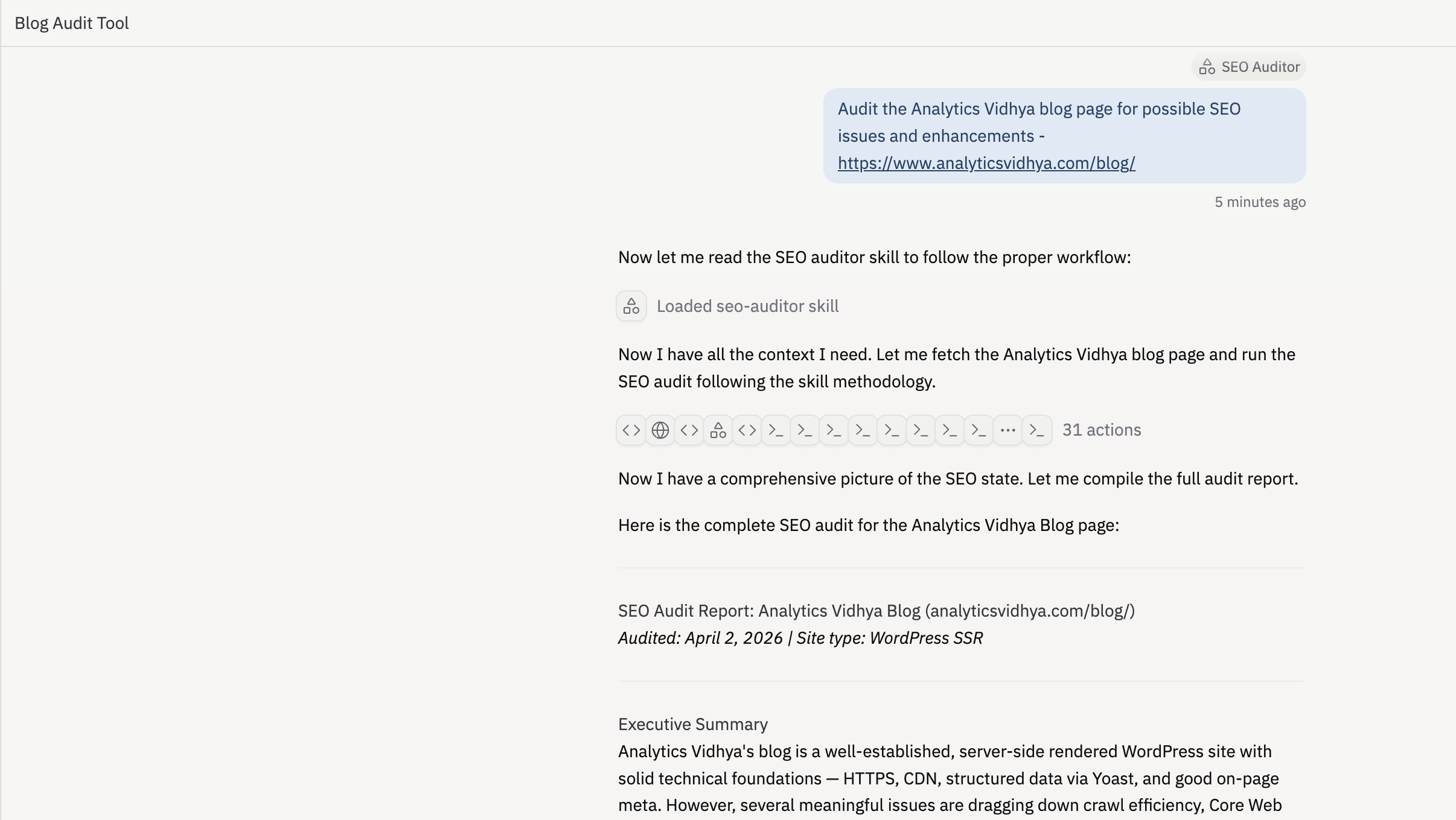
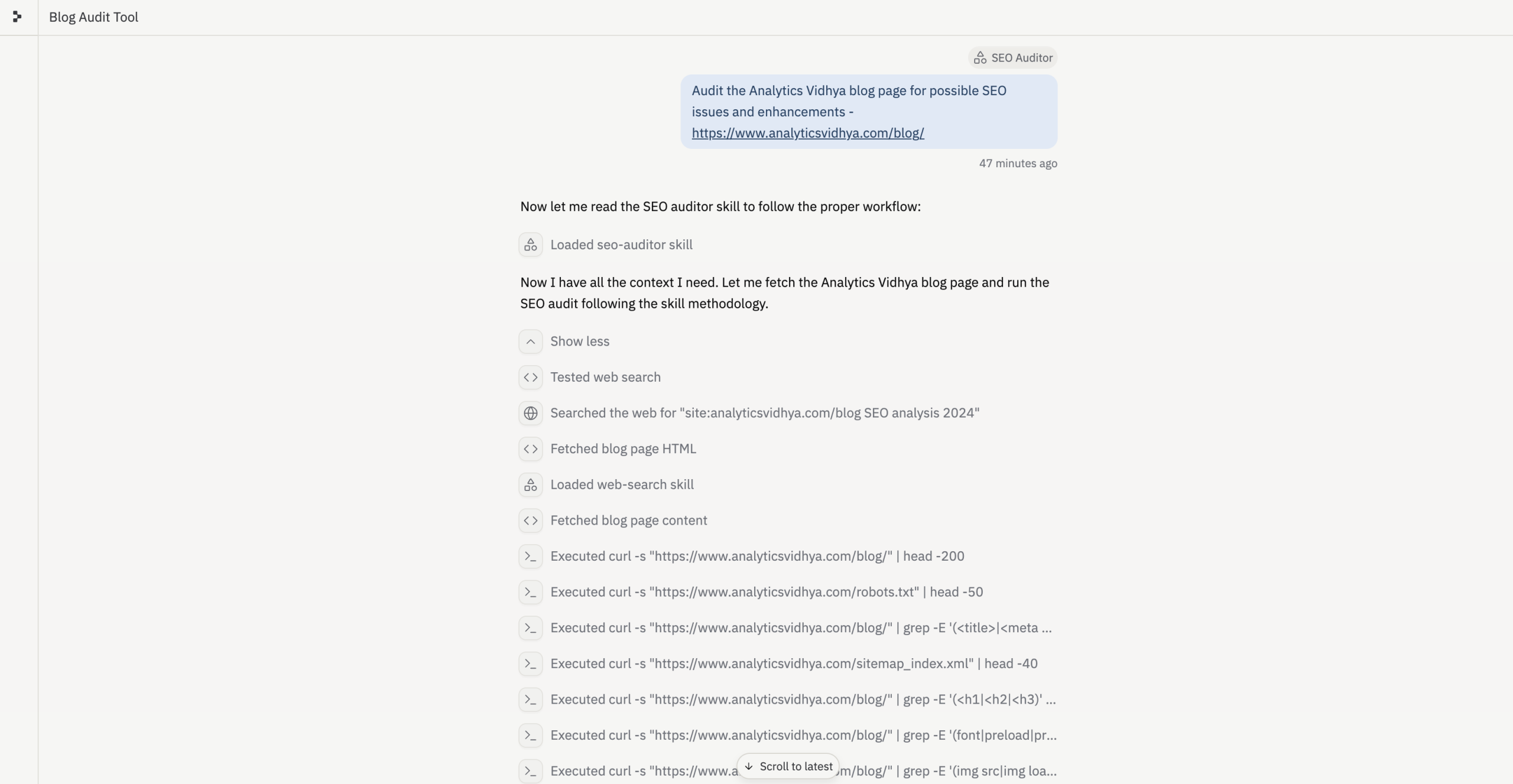
As it is known for, Replit Agent was quick to jump on the task with the proper structure on what is to be done and how. You can see in the screenshot above how it reads “the SEO auditor skill to follow the proper workflow” before beginning with anything else. The skill, with all its commands, guides the Agent on the task and its process.
The result – Replit Agent was super accurate in identifying some of the underlying SEO issues with the blog page, while also highlighting everything that works well for the blog, all in super detail.
Conclusion
For anyone who has used them already, Replit Agent Skills feel mighty useful, simply because they solve a very practical problem. Good instructions usually stay trapped inside one chat, one fix, or one successful session with an AI agent. Skills give you a way to save that learning and bring it back when the same kind of task shows up again.
And with such flexible ways of using them in Replit Agents, I’d suggest regular users of the platform give Skills a try in case they haven’t already. Thank me once your workflows get a 1000% faster and efficient!
Login to continue reading and enjoy expert-curated content.
