Close Menu
  • Home
  • AI
  • Big Data
  • Cloud Computing
  • iOS Development
  • IoT
  • IT/ Cybersecurity
  • Tech
    • Nanotechnology
    • Green Technology
    • Apple
    • Software Development
    • Software Engineering

Subscribe to Updates

Get the latest technology news from Bigteetechhub about IT, Cybersecurity and Big Data.

    What's Hot

    A playbook to run an agent Build Club

    May 17, 2026

    Microsoft rejects critical Azure vulnerability report, no CVE issued

    May 17, 2026

    Stuxnet-linked Fast16 malware, designed to subvert nuclear weapons testing simulations, was likely part of a campaign to slow Iran’s nuclear ambitions (Kim Zetter/ZERO DAY)

    May 17, 2026
    Facebook X (Twitter) Instagram
    Facebook X (Twitter) Instagram
    Big Tee Tech Hub
    • Home
    • AI
    • Big Data
    • Cloud Computing
    • iOS Development
    • IoT
    • IT/ Cybersecurity
    • Tech
      • Nanotechnology
      • Green Technology
      • Apple
      • Software Development
      • Software Engineering
    Big Tee Tech Hub
    Home»iOS Development»Keyboard shortcuts for Export Unmodified Original in Photos for Mac – Ole Begemann
    iOS Development

    Keyboard shortcuts for Export Unmodified Original in Photos for Mac – Ole Begemann

    big tee tech hubBy big tee tech hubApril 3, 2025002 Mins Read
    Share Facebook Twitter Pinterest Copy Link LinkedIn Tumblr Email Telegram WhatsApp
    Follow Us
    Google News Flipboard
    Keyboard shortcuts for Export Unmodified Original in Photos for Mac – Ole Begemann
    Share
    Facebook Twitter LinkedIn Pinterest Email Copy Link


    Problem

    1. The Photos app on macOS doesn’t provide a keyboard shortcut for the Export Unmodified Original command.
    2. macOS allows you to add your own app-specific keyboard shortcuts via System Settings > Keyboard > Keyboard Shortcuts > App Shortcuts. You need to enter the exact spelling of the menu item you want to invoke.
    3. Photos renames the command depending on what’s selected: Export Unmodified Original For 1 Photo“ turns into ”… Originals For 2 Videos” turns into “… For 3 Items” (for mixed selections), and so on. Argh!
    4. The System Settings UI for assigning keyboard shortcuts is extremely tedious to use if you want to add more than one or two shortcuts.
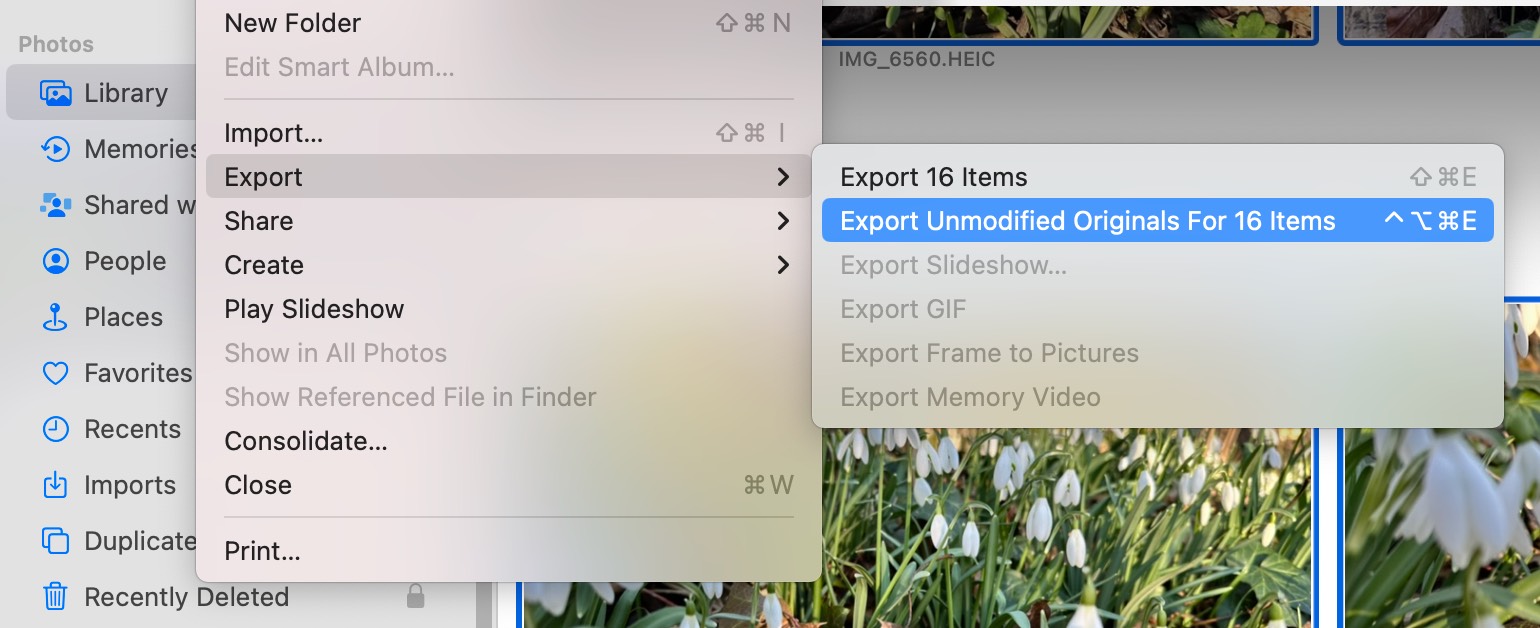
    Keyboard shortcuts for Export Unmodified Original in Photos for Mac – Ole Begemann

    Dynamically renaming menu commands is cute, but it becomes a problem when you want to assign keyboard shortcuts.

    Solution: shell script

    Here’s a Bash script that assigns Ctrl + Opt + Cmd + E to Export Unmodified Originals for up to 20 selected items:

    #!/bin/bash
    
    # Assigns a keyboard shortcut to the Export Unmodified Originals
    # menu command in Photos.app on macOS.
    
    # @ = Command
    # ^ = Control
    # ~ = Option
    # $ = Shift
    shortcut='@~^e'
    
    # Set shortcut for 1 selected item
    echo "Setting shortcut for 1 item"
    defaults write com.apple.Photos NSUserKeyEquivalents -dict-add "Export Unmodified Original For 1 Photo" "$shortcut"
    defaults write com.apple.Photos NSUserKeyEquivalents -dict-add "Export Unmodified Original For 1 Video" "$shortcut"
    
    # Set shortcut for 2-20 selected items
    objects=(Photos Videos Items)
    for i in {2..20}
    do
      echo "Setting shortcut for $i items"
      for object in "${objects[@]}"
      do
        defaults write com.apple.Photos NSUserKeyEquivalents -dict-add "Export Unmodified Originals For $i $object" "$shortcut"
      done
    done
    
    # Use this command to verify the result:
    # defaults read com.apple.Photos NSUserKeyEquivalents
    

    The script is also available on GitHub.

    Usage:

    1. Quit Photos.app.
    2. Run the script. Feel free to change the key combo or count higher than 20.
    3. Open Photos.app.

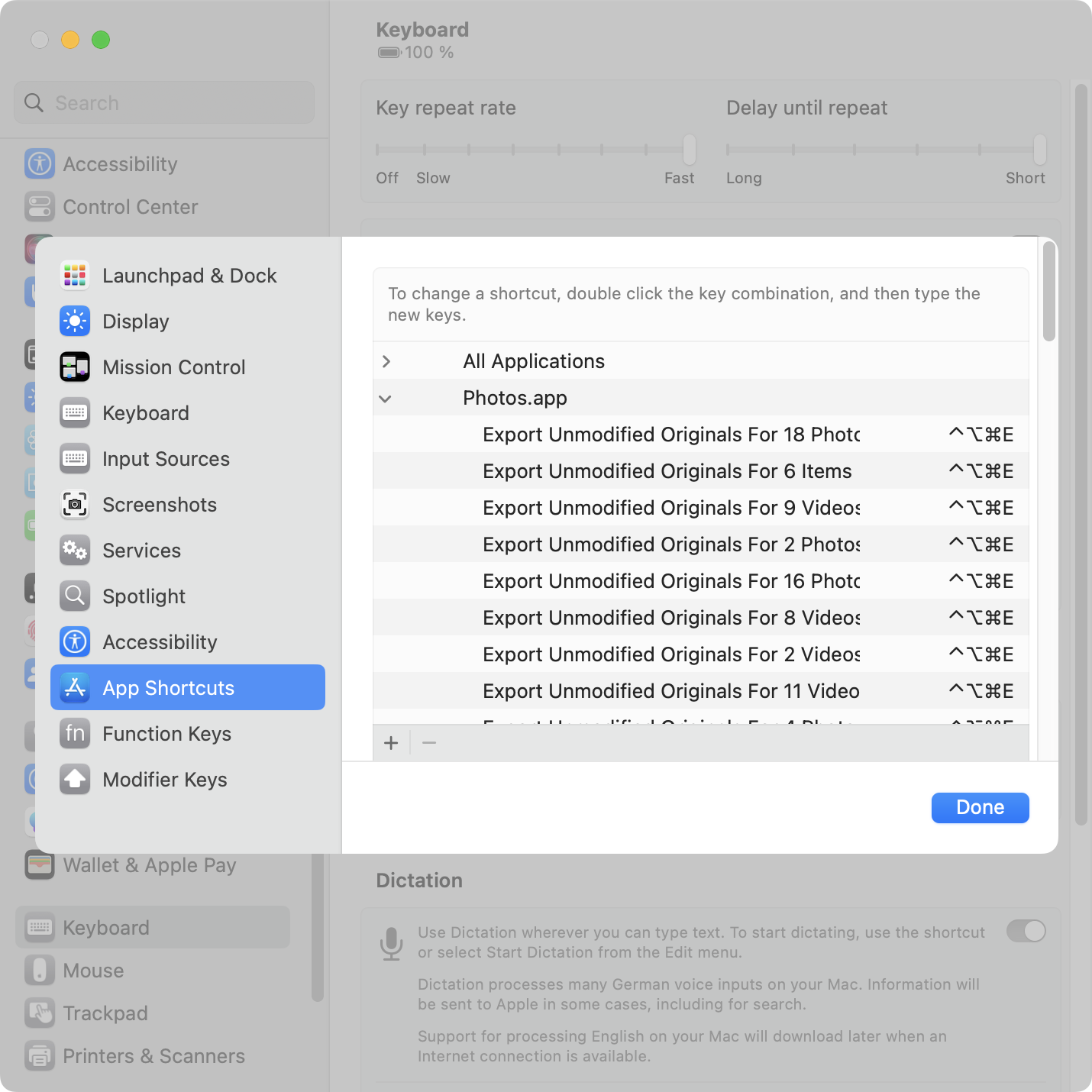
    Screenshot of the Keyboard Shortcuts window in System Settings in macOS 13.2, listing a bunch of custom keyboard shortcuts for Photos.app.

    Note: There’s a bug in Photos.app on macOS 13.2 (and at least some earlier versions). Custom keyboard shortcuts don’t work until you’ve opened the menu of the respective command at least once. So you must manually open the File > Export once before the shortcut will work. (For Apple folks: FB11967573.)


    Source link

    Begemann Export Keyboard Mac Ole Original Photos shortcuts Unmodified
    Follow on Google News Follow on Flipboard
    Share. Facebook Twitter Pinterest LinkedIn Tumblr Email Copy Link
    tonirufai
    big tee tech hub
    • Website

    Related Posts

    xcode – What is the right version combination for navigation compose that works both on Android and iOS?

    May 17, 2026

    swift – How Do I Replicate the Exact Native iMessage Contact/Profile Transition Animation in iOS?

    May 16, 2026

    ios – React Native expo-video clip plays for 1 second then freezes only on European devices

    May 15, 2026
    Add A Comment
    Leave A Reply Cancel Reply

    Editors Picks

    A playbook to run an agent Build Club

    May 17, 2026

    Microsoft rejects critical Azure vulnerability report, no CVE issued

    May 17, 2026

    Stuxnet-linked Fast16 malware, designed to subvert nuclear weapons testing simulations, was likely part of a campaign to slow Iran’s nuclear ambitions (Kim Zetter/ZERO DAY)

    May 17, 2026

    How Nanoparticles Could Help Immunotherapy Turn Cold Tumors Hot

    May 17, 2026
    Timer Code
    15 Second Timer for Articles
    20
    About Us
    About Us

    Welcome To big tee tech hub. Big tee tech hub is a Professional seo tools Platform. Here we will provide you only interesting content, which you will like very much. We’re dedicated to providing you the best of seo tools, with a focus on dependability and tools. We’re working to turn our passion for seo tools into a booming online website. We hope you enjoy our seo tools as much as we enjoy offering them to you.

    Don't Miss!

    A playbook to run an agent Build Club

    May 17, 2026

    Microsoft rejects critical Azure vulnerability report, no CVE issued

    May 17, 2026

    Subscribe to Updates

    Get the latest technology news from Bigteetechhub about IT, Cybersecurity and Big Data.

      • About Us
      • Contact Us
      • Disclaimer
      • Privacy Policy
      • Terms and Conditions
      © 2026 bigteetechhub.All Right Reserved

      Type above and press Enter to search. Press Esc to cancel.