


[ad_1]
Amazon SageMaker now enhances search results in Amazon SageMaker Unified Studio with additional context that improves transparency and interpretability. Users can see which metadata fields matched their query and understand why each result appears, increasing clarity and trust in data discovery. The capability introduces inline highlighting for matched terms and an explanation panel that details where and how each match occurred across metadata fields such as name, description, glossary, and schema. Enhanced search results reduces time spent evaluating irrelevant assets by presenting match evidence directly in search results. Users can quickly validate relevance without analyzing individual assets.
In this post, we demonstrate how to use enhanced search in Amazon SageMaker.
Search results with context
Text matches include keyword match, begins with, synonyms, and semantically related text. Enhanced search displays search result text matches in these locations:
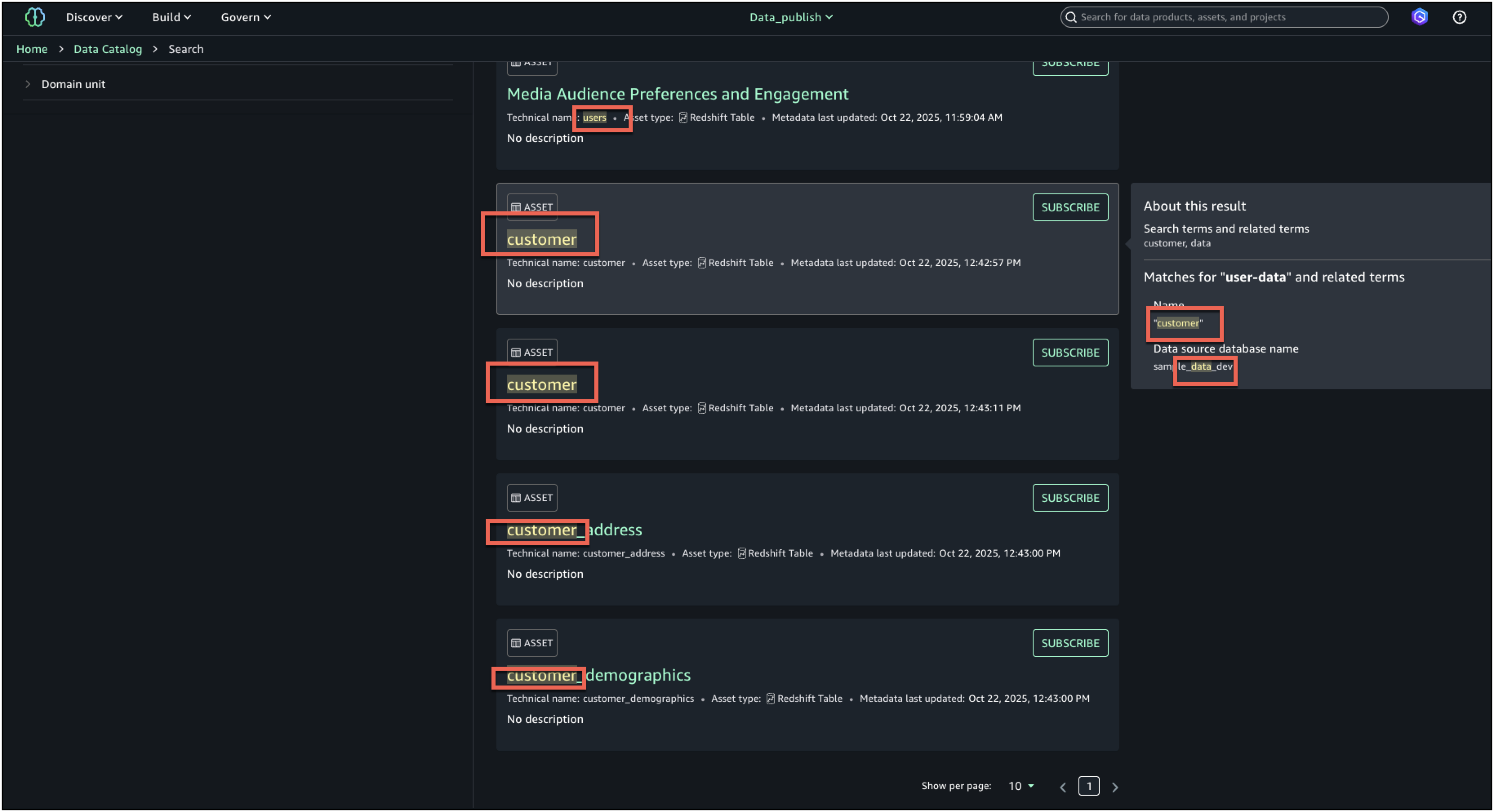
- Search result: Text matches in each search result’s name, description, and glossary terms are highlighted.
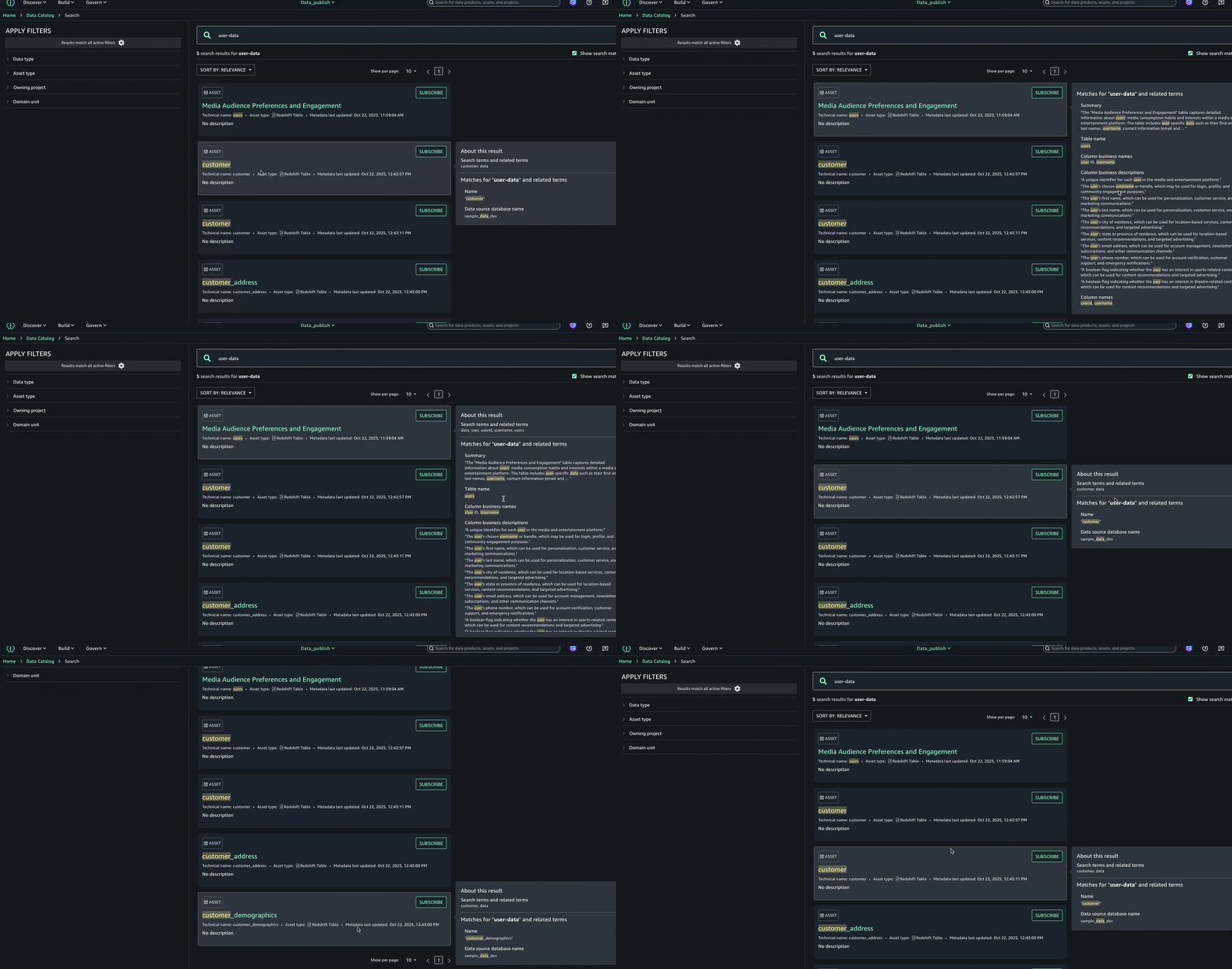
- About this result panel: A new About this result panel is displayed to the right of the highlighted search result. The panel displays the text matches for the result item’s searchable content including name, description, glossary terms, metadata, business names, and table schema. The list of unique text match values is displayed at the top of the panel for quick reference.
Data catalogs contain thousands of datasets, models, and projects. Without transparency, users can’t tell why certain results appear or trust the ordering. Users need evidence for search relevance and understandability.
Enhanced search with match explanations improves catalog search in four key ways:
1) transparency is increased because users can see why a result appeared and gain trust,
2) efficiency improves since highlights and explanations reduce time spent opening irrelevant assets,
3) governance is supported by showing where and how terms matched, aiding audit and compliance processes, and
4) consistency is reinforced by revealing glossary and semantic relationships, which reduces misunderstanding and improves collaboration across teams.
How enhanced search works
When a user enters a query, the system searches across multiple fields like name, description, glossary terms, metadata, business names and table schema. With enhanced search transparency, each search result includes the list of text matches that were the basis for including the result, including the field that contained the text match, and a portion of the field’s text value before and after the text match, to provide context. The UI uses this information to display the returned text with the text match highlighted.
For example, a steward searches for “revenue forecasting,” and an asset is returned with the name “Sales Forecasting Dataset Q2” and a description that contains “projected sales figures.” The word sales is highlighted in the name and description, in both the search result and the text matches panel, because sales is a synonym for revenue. The About this result panel also shows that forecast was matched in the schema field name sales_forecast_q2.
Solution overview
In this section we demonstrate how to use the enhanced search features. In this example, we will be demonstrating the use in a marketing campaign where we need user preference data. While we have multiple datasets on users, we will demonstrate how enhanced search simplifies the discovery experience.
Prerequisites
To test this solution you should have an Amazon SageMaker Unified Studio domain set up with a domain owner or domain unit owner privileges. You should also have an existing project to publish assets and catalog assets. For instructions to create these assets, see the Getting started guide.
In this example we created a project named Data_publish and loaded data from the Amazon Redshift sample database. To ingest the sample data to SageMaker Catalog and generate business metadata, see Create an Amazon SageMaker Unified Studio data source for Amazon Redshift in the project catalog.
Asset discovery with explainable search
To find assets with explainable search:
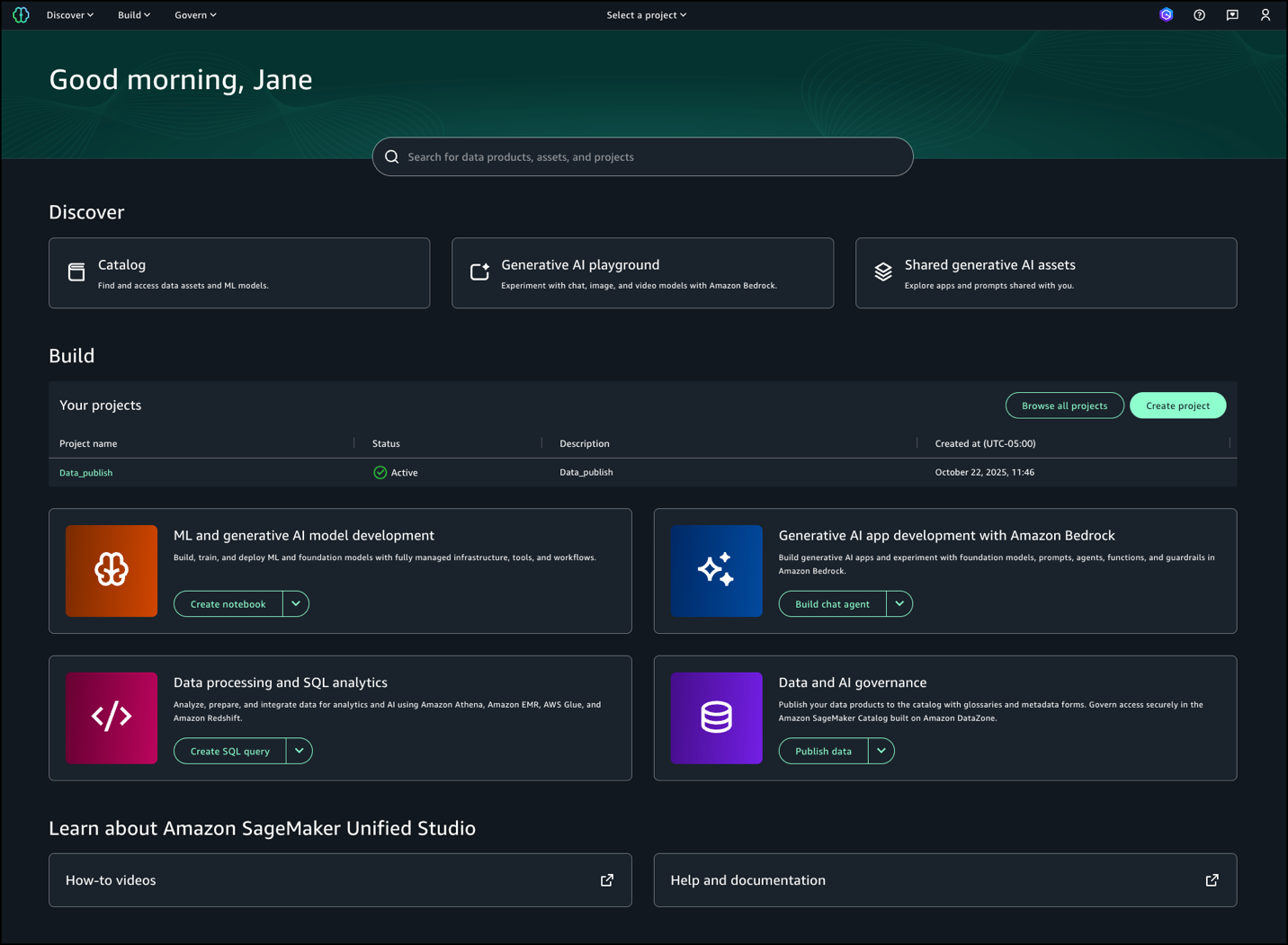
- Log in to SageMaker Unified Studio.

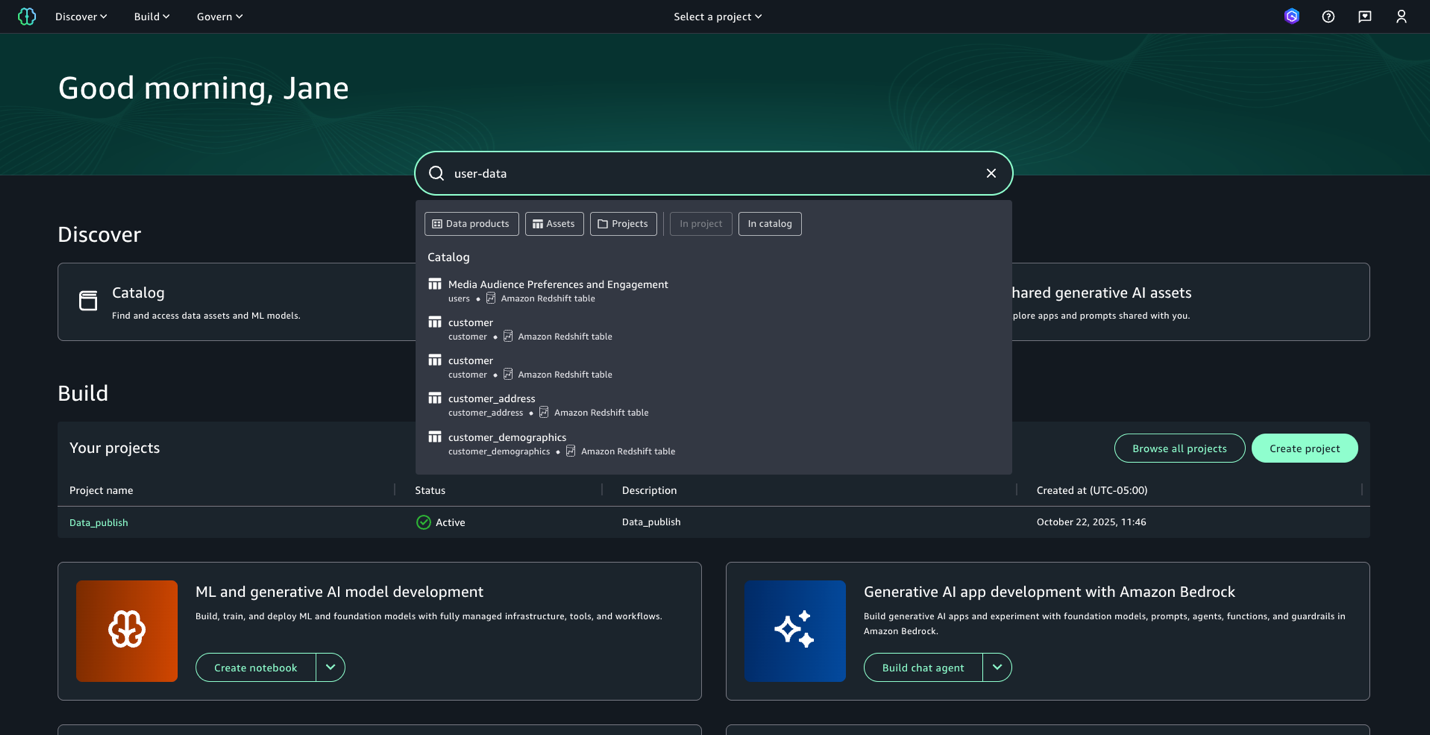
- Enter the search text
user-data. While we get the search results in this view, we want to get further details on each of these datasets. Press enter to go to full search. - In full search, search results are returned when there are text matches based on keyword search, starts with, synonym, and semantic search. Text matches are highlighted within the searchable content that is shown for each result: in the name, description, and glossary terms.
- To further enhance the discovery experience and find the right asset, you can look at the About this result panel on the right and see the other text matches, for example, in the summary, table name, data source database name, or column business name, to better understand why the result was included.
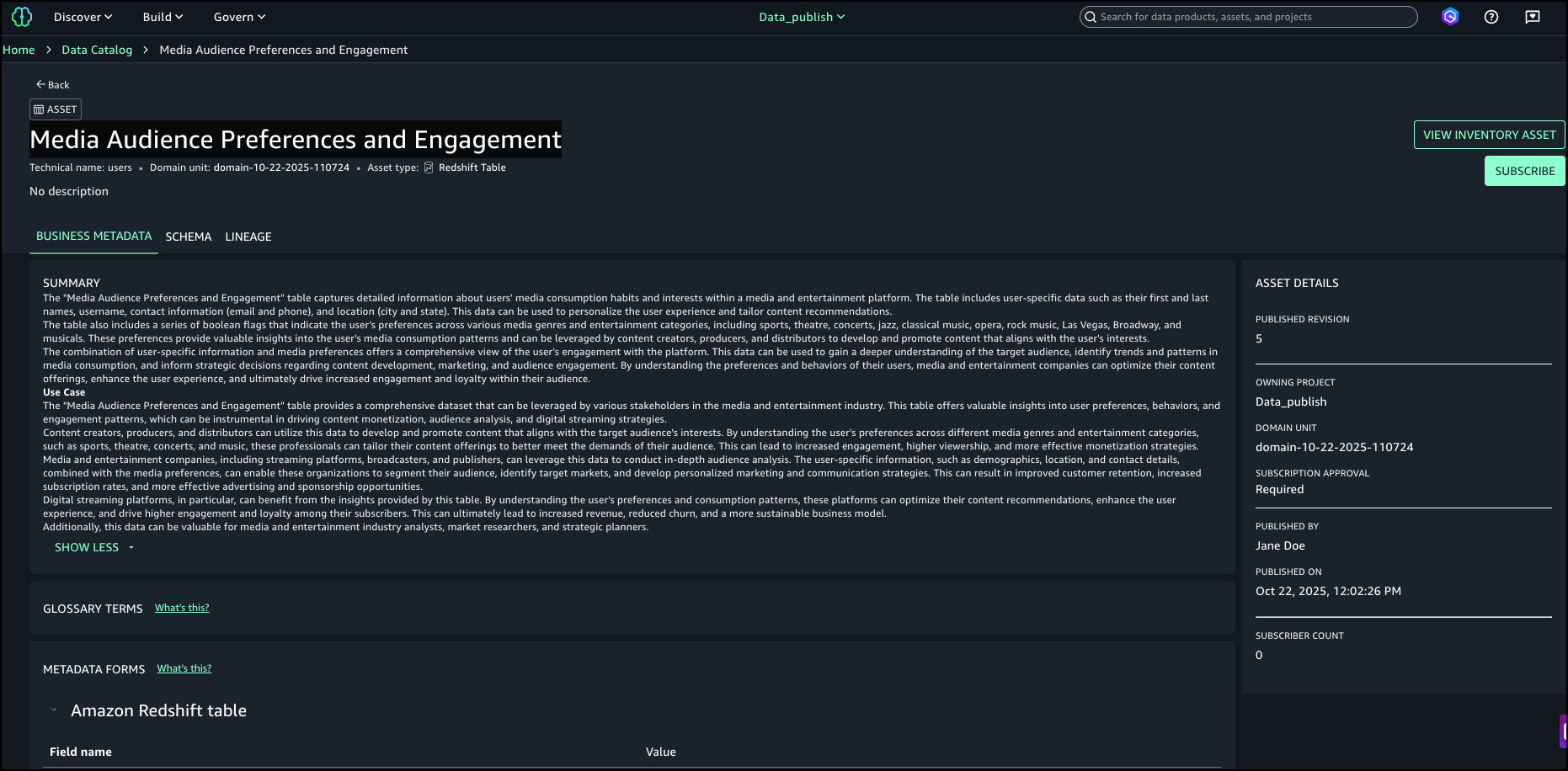
- After examining the search results and text match explanations, we identified the asset named
Media Audience Preferences and Engagementas the right asset for the campaign and selected it for analysis.
Conclusion
Enhanced search transparency in Amazon SageMaker Unified Studio transforms data discovery by providing clear visibility into why assets appear in search results. The inline highlighting and detailed match explanations help users quickly identify relevant datasets while building trust in the data catalog. By showing exactly which metadata fields matched their queries, users spend less time evaluating irrelevant assets and more time analyzing the right data for their projects.
Enhanced search is now available in AWS Regions where Amazon SageMaker is supported.
To learn more about Amazon SageMaker, see the Amazon SageMaker documentation.
About the authors
[ad_2]
Source link
