


[ad_1]

|
Imagine building AI applications that deliver accurate, current information without the complexity of developing intricate data retrieval systems. Today, we’re excited to announce the general availability of Web Grounding, a new built-in tool for Nova models on Amazon Bedrock.
Web Grounding provides developers with a turnkey Retrieval Augmented Generation (RAG) option that allows the Amazon Nova foundation models to intelligently decide when to retrieve and incorporate relevant up-to-date information based on the context of the prompt. This helps to ground the model output by incorporating cited public sources as context, aiming to reduce hallucinations and improve accuracy.
When should developers use Web Grounding?
Developers should consider using Web Grounding when building applications that require access to current, factual information or need to provide well-cited responses. The capability is particularly valuable across a range of applications, from knowledge-based chat assistants providing up-to-date information about products and services, to content generation tools requiring fact-checking and source verification. It’s also ideal for research assistants that need to synthesize information from multiple current sources, as well as customer support applications where accuracy and verifiability are crucial.
Web Grounding is especially useful when you need to reduce hallucinations in your AI applications or when your use case requires transparent source attribution. Because it automatically handles the retrieval and integration of information, it’s an efficient solution for developers who want to focus on building their applications rather than managing complex RAG implementations.
Getting started
Web Grounding seamlessly integrates with supported Amazon Nova models to handle information retrieval and processing during inference. This eliminates the need to build and maintain complex RAG pipelines, while also providing source attributions that verify the origin of information.
Let’s see an example of asking a question to Nova Premier using Python to call the Amazon Bedrock Converse API with Web Grounding enabled.
First, I created an Amazon Bedrock client using AWS SDK for Python (Boto3) in the usual way. For good practice, I’m using a session, which helps to group configurations and make them reusable. I then create a BedrockRuntimeClient.
try:
    session = boto3.Session(region_name="us-east-1")
    client = session.client(
        'bedrock-runtime')
I then prepare the Amazon Bedrock Converse API payload. It includes a “role” parameter set to “user”, indicating that the message comes from our application’s user (compared to “assistant” for AI-generated responses).
For this demo, I chose the question “What are the current AWS Regions and their locations?” This was selected intentionally because it requires current information, making it useful to demonstrate how Amazon Nova can automatically invoke searches using Web Grounding when it determines that up-to-date knowledge is needed.
# Prepare the conversation in the format expected by Bedrock
question = "What are the current AWS regions and their locations?"
conversation = [
   {
     "role": "user",  # Indicates this message is from the user
     "content": [{"text": question}],  # The actual question text
      }
    ]
First, let’s see what the output is without Web Grounding. I make a call to Amazon Bedrock Converse API.
# Make the API call to Bedrock
model_id = "us.amazon.nova-premier-v1:0"
response = client.converse(
    modelId=model_id, # Which AI model to use
    messages=conversation, # The conversation history (just our question in this case)
    )
print(response['output']['message']['content'][0]['text'])
I get a list of all the current AWS Regions and their locations.
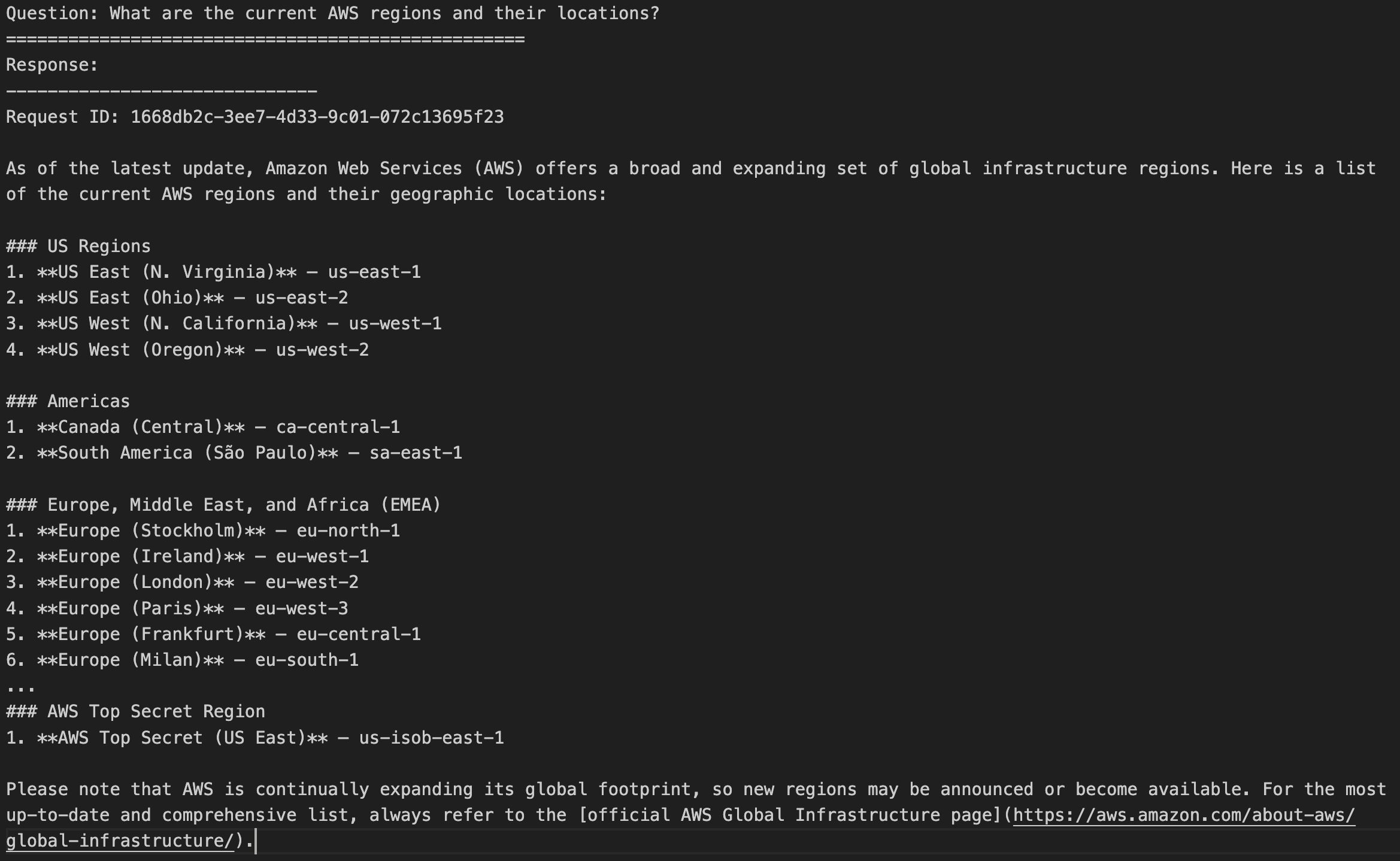
Now let’s use Web Grounding. I make a similar call to the Amazon Bedrock Converse API, but declare nova_grounding as one of the tools available to the model.
model_id = "us.amazon.nova-premier-v1:0"
response = client.converse(
    modelId=model_id,
    messages=conversation,
    toolConfig= {
          "tools":[
              {
                "systemTool": {
                   "name": "nova_grounding" # Enables the model to search real-time information
                 }
              }
          ]
     }
)
After processing the response, I can see that the model used Web Grounding to access up-to-date information. The output includes reasoning traces that I can use to follow its thought process and see where it automatically queried external sources. The content of the responses from these external calls appear as [HIDDEN] – a standard practice in AI systems that both protects sensitive information and helps manage output size.
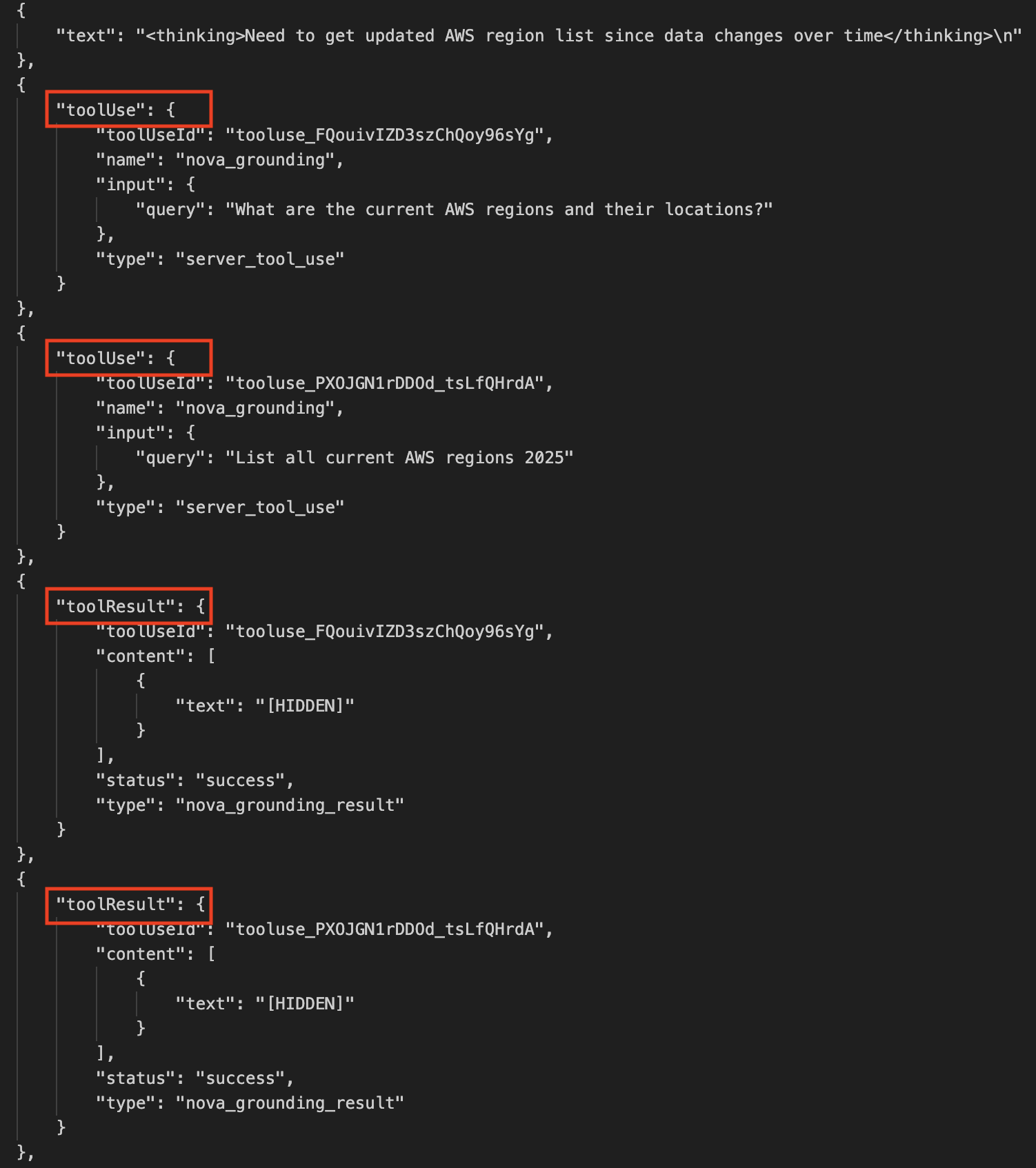
Additionally, the output also includes citationsContent objects containing information about the sources queried by Web Grounding.
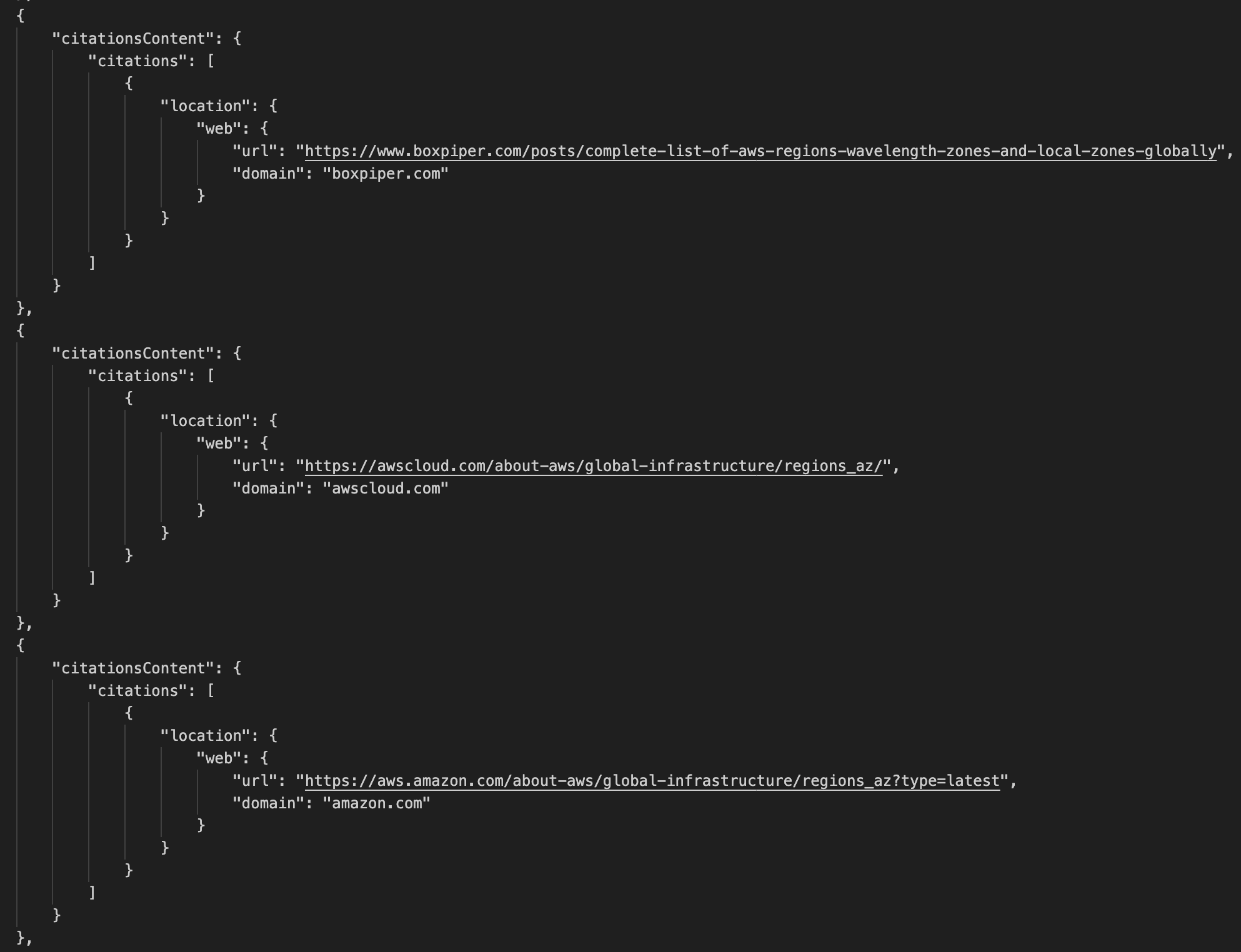
Finally, I can see the list of AWS Regions. It finishes with a message right at the end stating that “These are the most current and active AWS regions globally.”

Web Grounding represents a significant step forward in making AI applications more reliable and current with minimum effort. Whether you’re building customer service chat assistants that need to provide up-to-date accurate information, developing research applications that analyze and synthesize information from multiple sources, or creating travel applications that deliver the latest details about destinations and accommodations, Web Grounding can help you deliver more accurate and relevant responses to your users with a convenient turnkey solution that is straightforward to configure and use.
Things to know
Amazon Nova Web Grounding is available today in US East (N. Virginia). Web Grounding will also soon launch on US East (Ohio), and US West (Oregon).
Web Grounding incurs additional cost. Refer to the Amazon Bedrock pricing page for more details.
Currently, you can only use Web Grounding with Nova Premier but support for other Nova models will be added soon.
If you haven’t used Amazon Nova before or are looking to go deeper, try this self-paced online workshop where you can learn how to effectively use Amazon Nova foundation models and related features for text, image, and video processing through hands-on exercises.
[ad_2]
Source link
