

[ad_1]
OpenAI is shipping products fast, but is the quality top-notch? That’s questionable! They recently launched their own browser, ChatGPT Atlas. By the looks of it, it seems quite similar to Chrome and Perplexity’s Comet, probably a blend of both. I personally love Comet and have been using it for a while now. In this blog, I will first take you through the features of ChatGPT Atlas and then compare it to Comet on the specific tasks that Comet handles super fast. Are you ready?
Key Features of ChatGPT Atlas?
- Web-Wide Utility: Bring ChatGPT across the web for instant answers, smarter suggestions, and help with various tasks.
- ChatGPT Sidebar: Open a dedicated sidebar in any window to summarize content, compare products, or analyze data directly from the site you are viewing.
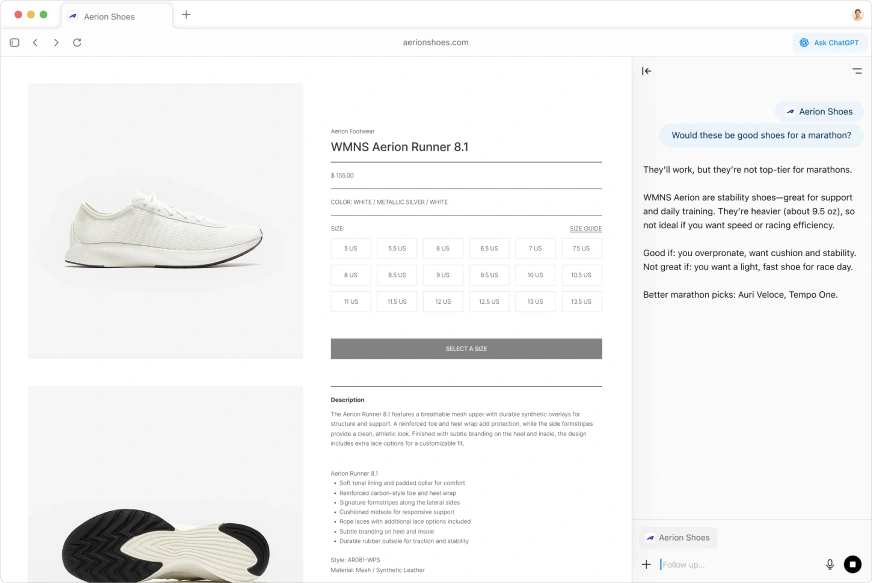
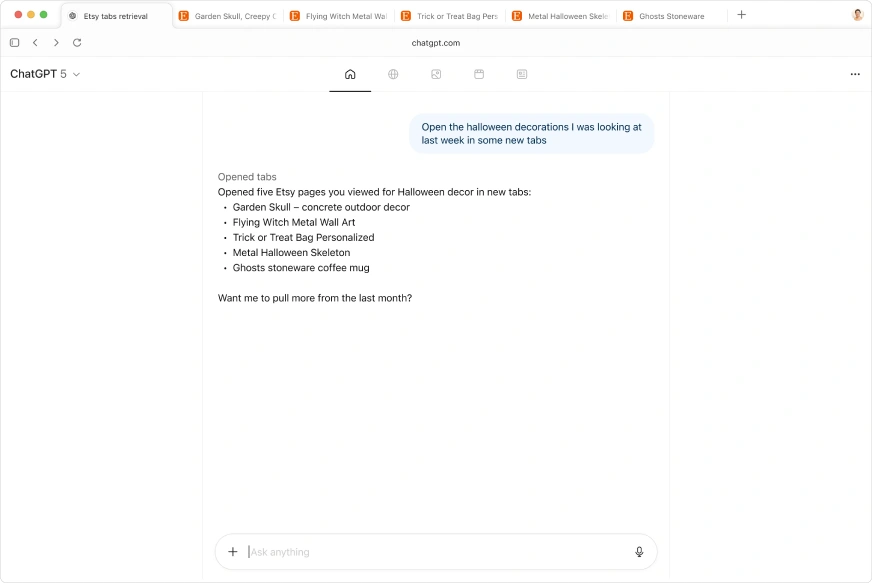
- Contextual Memory: The model can pick up where you left off. You can control what ChatGPT remembers to ensure it provides relevant details when needed.
- Cursor Collaboration: Turn your cursor into a collaborator. Highlight text in emails, calendar invites, or documents, and get assistance from the chat with a single click.
Advanced Features
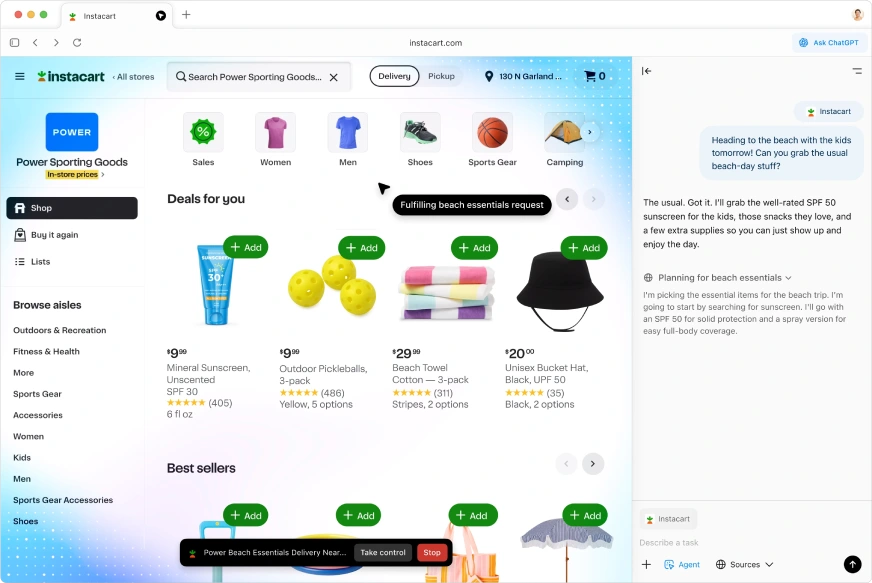
- Agent Mode (Action-Taking): ChatGPT can interact with sites on your behalf (always under your control). Use it to complete tasks from start to finish, such as researching and shopping for a trip. Note: This feature is available in preview for Plus, Pro, and Business accounts.
- Smarter Searches: Get information the way you want to, with the ability to search text, images, videos, or news articles.
User Control and Experience
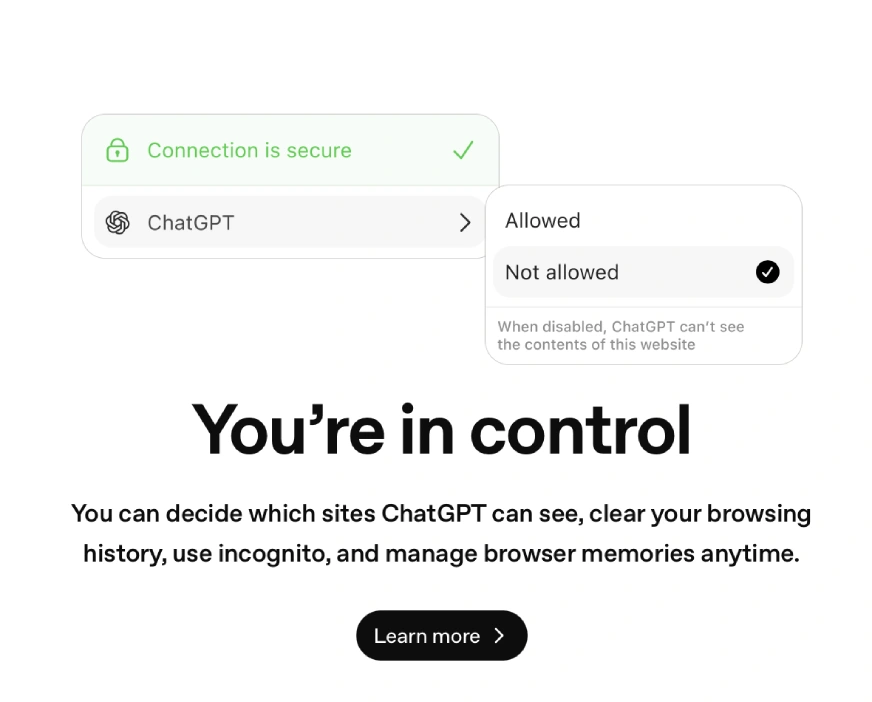
- Full Privacy Control: You are in control. You can decide which sites ChatGPT can see, clear your browsing history, use incognito mode, and manage browser memories anytime.
- Ease of Use: Navigate the web easily using standard features like tabs, autocomplete, a search bar, and bookmarks.
- Customization: Set your browsing preferences and colors with ease to make it custom.
How to Access ChatGPT Atlas?
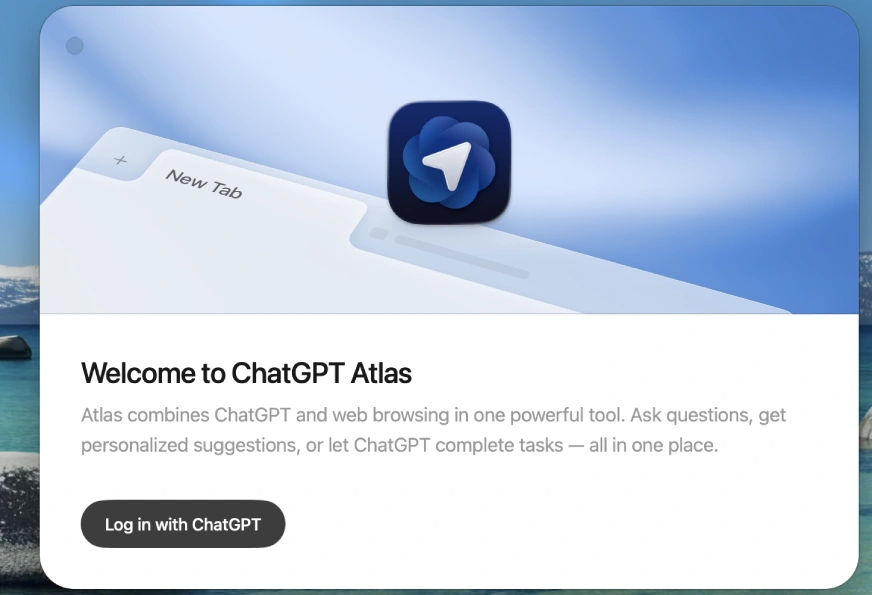
Currently, the browser is only available for macOS users. Follow these steps to access ChatGPT Atlas:
- Download the browser
Head to ChatGPT Atlas and download the browser. Here’s the link.
- Install it on your system
Once you have downloaded the browser, install it in your system.

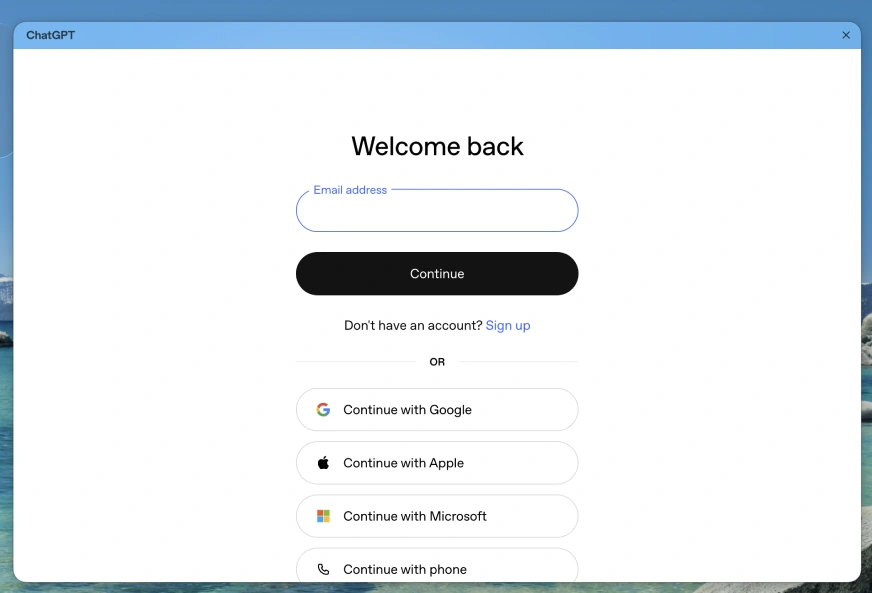
- LogIn to start
Next step is to login to the browser. You can use Gmail, Microsoft, Apple or Phone No. to Login.
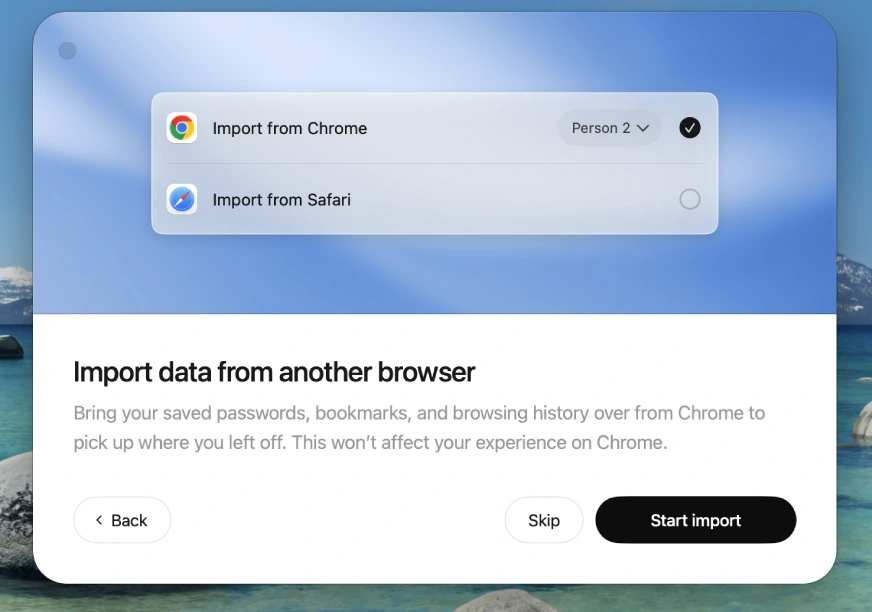
- Import Data
You are now ready to use ChatGPT Atlas!
Let’s Try ChatGPT Atlas
To test Atlas’s capabilities, I ran it through a series of practical, everyday tasks.
Task 1: PDF Summarization
I was reading a dense research paper and needed a quick overview. I asked ChatGPT Atlas to summarize the PDF for me. The output I got was decent, providing a helpful, end-to-end explanation of the concept. This feature can be extremely helpful for students and professionals learning new topics.
Task 2: Coding
Coding of all kinds becomes “vibe coding” with ChatGPT Atlas. Since the browser is supported by GPT-5, it offers powerful coding capabilities right at your fingertips. It lets you call the agent and ask questions or refine code snippets in between any coding task that you are doing.
You can find the full video here!
Task 3: Online Shopping
For this task, I logged into my Myntra account and asked Atlas’s Agent Mode to order a black shirt for me under INR 5,000 in size L. Unfortunately, the browser failed at the task repeatedly. As you can see below, the agent struggled with the interface, demonstrating that this advanced feature is still very much in its early stages. Checkout the failure below:
Is ChatGPT Atlas Better than Comet?
Having used both platforms extensively, I must conclude that Comet is a much better assistant for general tasks. It is also free of cost and quite handy to use. For ChatGPT Atlas, the value proposition is much stronger if you already have access to a ChatGPT Plus account, as your chat memory and history will be instantly imported, making the overall experience more personalized.
| Feature | ChatGPT Atlas (by OpenAI) | Perplexity Comet (by Perplexity AI) |
|---|---|---|
| Primary Focus | Action & Automation | Research & Citation |
| Best For | Users who want to automate multi-step tasks (e.g., booking, shopping, data compilation) and want a deeply integrated ChatGPT assistant everywhere they browse. | Users who need verified, source-linked answers for complex or academic research, quick reading, and summarization. |
| Key Differentiator | Agent Mode (for paid users) – lets the AI perform actions across websites on your behalf. | Citations-First Design – provides answers with sources front-and-center, ideal for reliability. |
| Ecosystem | Tightly integrated with your existing ChatGPT memory and history. | Integrated with Perplexity’s powerful search and answer engine. |
| Availability (at launch) | Initially macOS only (Windows/mobile coming soon). Free version available, but Agent Mode requires a paid subscription. | Cross-platform (Windows, macOS, mobile). Free for all users with a paid tier for extra features. |
Also Read: 8 Easy Ways to Access ChatGPT for Free
Conclusion
OpenAI’s new ChatGPT Atlas makes their ambition clear: they see the web as a place for action, not just information. But as my tests showed, it’s still got some kinks to work out. For most of us just trying to get answers quickly, Comet is the better choice right now. It’s faster, more reliable, and its citations build trust instantly. Atlas feels more like a bet on the future. Great if you’re already a ChatGPT Plus user and are curious about where web automation is headed, even with the current bugs. It really comes down to whether you want a solid research assistant today or an early pass at an automated agent.
Frequently Asked Questions
A. It is an AI-powered web browser developed by OpenAI that integrates the full ChatGPT experience directly into your browsing. Its goal is to make web navigation conversational, allowing the AI to summarize content, answer questions in context, and even automate multi-step tasks.
A. No, ChatGPT Atlas was initially released only for macOS users. OpenAI has confirmed that versions for Windows, iOS, and Android platforms are planned and will be rolling out soon.
A. You can access it by downloading the installer from the official OpenAI website and logging in with your existing ChatGPT credentials. It is currently available for macOS devices with Apple Silicon chips.
A. The browser itself is free to download and use with a standard ChatGPT account. However, its most powerful features, such as the advanced Agent Mode that performs actions for you, are limited to paid subscribers (Plus, Pro, or Business tiers).
A. Yes, the core ChatGPT platform supports the MCP, which allows it to integrate with third-party systems and custom connectors. This capability is key to Atlas’s Agent Mode being able to “see” and interact with other websites and applications.

Hello, I am Nitika, a tech-savvy Content Creator and Marketer. Creativity and learning new things come naturally to me. I have expertise in creating result-driven content strategies. I am well versed in SEO Management, Keyword Operations, Web Content Writing, Communication, Content Strategy, Editing, and Writing.
Login to continue reading and enjoy expert-curated content.
[ad_2]
Source link
